Signal blocks screenshots to stop Siri AI and Gemini
/ Signal now blocks screenshots on iOS 27 and Android to keep Siri AI and Gemini out of your chats. What changes, how to turn it off and what it misses.
by Hozefa Khety
· 7 min read
Signal is switching on new protections that stop the AI assistants built into phones from reading your chats. On iPhones running iOS 27, the app now blocks screenshots and adds a Block Siri AI setting. On Android, it automatically turns on its Screen security option when it detects an AI assistant such as Google Gemini trying to read the screen. Signal president Meredith Whittaker announced the change in a blog post on November 20, 2026.
The catch is that the same protection also stops you from taking screenshots inside Signal. You can switch it off, but Signal warns that doing so could expose your messages, and your contacts' messages, to those AI agents. Below is what is changing on each platform, why Signal is doing it, how to turn it on or off, and what it does not cover. Details checked November 20, 2026, 18:55 IST (13:25 UTC).
What Signal is changing
In its post, titled Signal is Serious About Protecting Your Privacy, Signal says it is restricting the AI agents built into mobile operating systems from capturing and storing Signal data. It names two in particular: Gemini Intelligence with Google Gemini on Android, and onscreen awareness with Siri AI on Apple devices. Both work by looking at what is on your screen so they can answer questions about it or act on it.
Signal's fix is to block the screen capture those assistants rely on. Reuters, which saw the post before it went up, reports that the new restrictions are switched on by default, and that Signal shows a pop-up offering to turn them off when it detects a screenshot attempt or an AI assistant trying to read the screen, depending on the device.
What changes on iPhone (iOS 27)
On iOS 27, Signal blocks screenshots inside the app. A new Block Siri AI option sits in the App security section of Signal's privacy settings, next to the existing Hide Screen in App Switcher and Screen Lock switches. Signal's description of the setting reads: Prevent Siri AI from scanning Signal content. This will also block you from taking screenshots in the app and App Switcher.
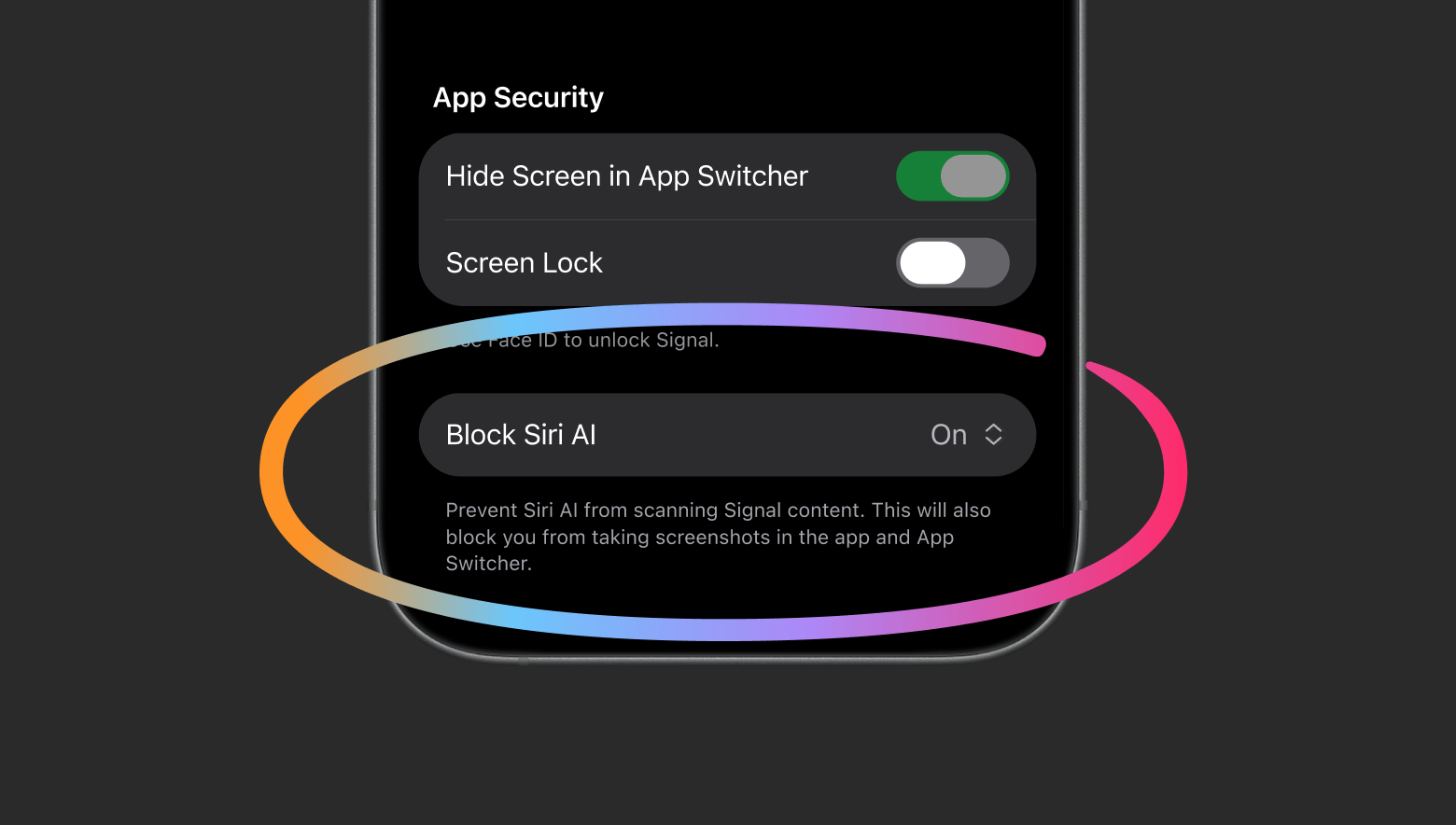
In practice, that means asking Siri about something in a Signal chat, or taking a screenshot of a conversation, will not work while the protection is on.
What changes on Android
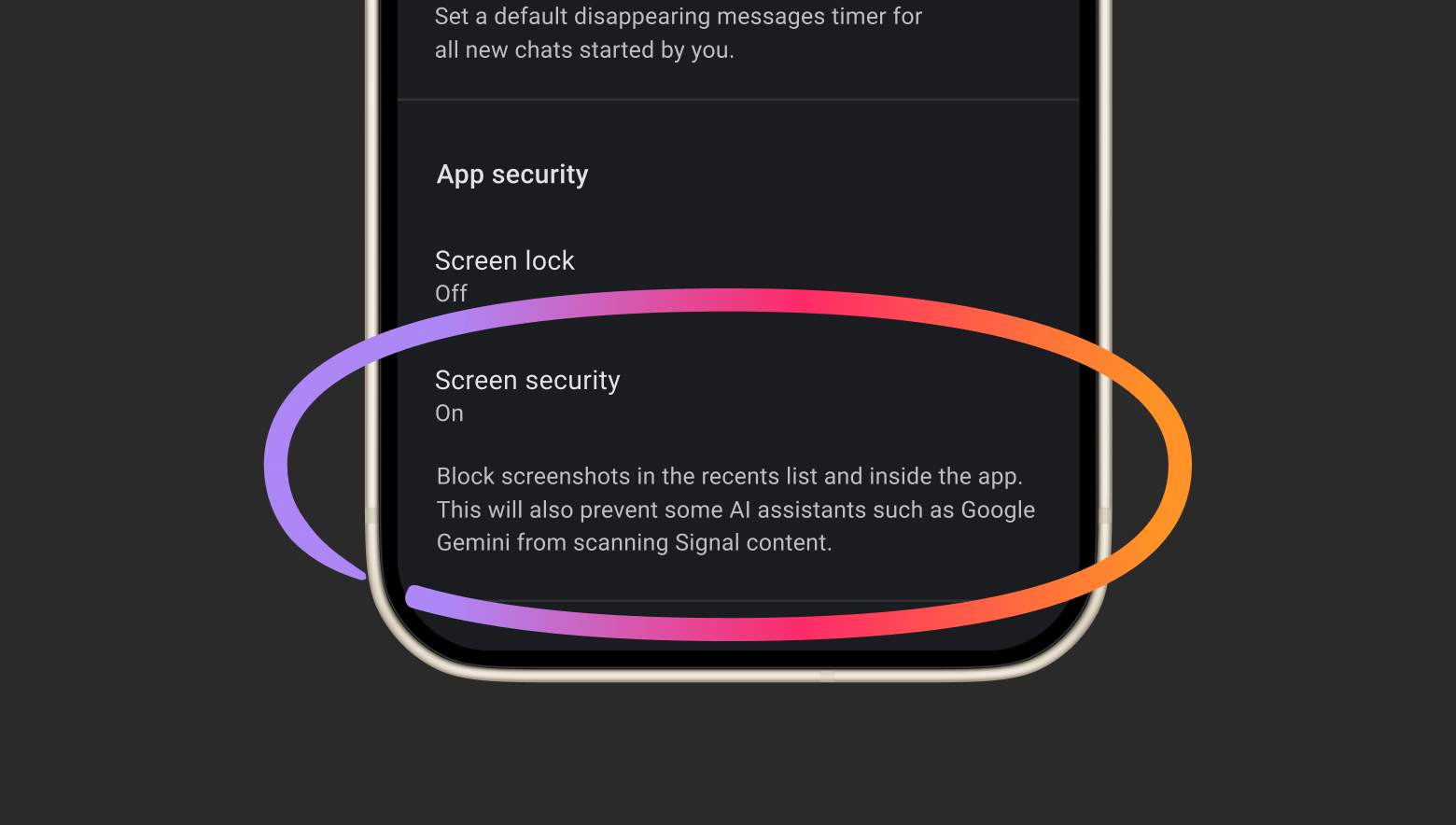
Android is harder, because so many companies make their own versions of it. Signal says that on many phones it has no reliable way to tell when someone tries to take a screenshot if screenshots are already disabled, and it did not want screenshots to simply stop working with no explanation. So instead it watches for an AI assistant trying to access the screen, and when it detects one, it automatically turns on Signal's existing Screen security setting.
Screen security blocks screenshots in the recent apps list and inside the app. Signal's updated description adds that it will also prevent some AI assistants such as Google Gemini from scanning Signal content. Signal admits the protection will not work the same way on every Android phone.
Why Signal is doing this
Signal's argument is that end-to-end encryption protects messages on their way between phones, but once a message is shown on your screen, an assistant that can read the screen gets the same text you see. Whittaker writes that the captured data then ends up in whatever local database or remote server the assistant is using, outside Signal's control, and that this undermines Signal's ability to independently guarantee privacy. She calls it an existential threat to Signal.
The timing follows a Reuters investigation published on November 18, which found that Meta's Muse AI agent could read Signal message text without being connected to Signal through Meta's own Connector tool. On Android, it read message previews through notification access. On a Mac, it used accessibility and screenshot permissions to capture chats on screen. The same request was blocked on the iPhone used in testing. Meta told Reuters that agents need to see and interact with people's devices to work for them, and that Muse can only access other apps through permissions users grant.
Signal's post says more tools are needed to stop third-party agents like Muse from using the deep permissions people are encouraged to grant during setup, including accessibility settings that were meant for people with disabilities. Signal describes these permissions as being used like a skeleton key.
How to turn the protection on or off
Both switches live in the same place: open Signal, tap your profile picture, go to Settings, then Privacy, and look for the App security section. On iPhone, the option is Block Siri AI. On Android, it is Screen security.
If you need to screenshot a chat, for example to report abuse or save a receipt someone sent you, you can turn the setting off. Signal's warning is blunt: doing so will potentially expose your and your contacts' Signal content to these AI agents, and break its privacy guarantees. One option is to turn it off only for as long as you need it, then switch it back on.
What about the Mac and Windows?
Signal says it cannot offer the same protection on macOS. It says Apple does not provide a clearly documented way for apps to block ordinary screenshots, which is how most AI agents read app content, and that the existing screen-protection tools mainly cover streaming video and other copy-protected media. For now, Signal recommends that Mac users add Signal to the Excluded Apps list under System Settings, then Siri.
On Windows, Signal already took a similar step in 2025, when it began blocking screenshots by default in its Windows 11 desktop app so Microsoft's Recall feature could not save chats into its searchable history.
Extra steps you can take on iPhone and Android
On iPhone, iOS 27.2 added an Excluded Apps setting for Siri AI. The Electronic Frontier Foundation's guide says to open Settings, then Siri, then Excluded Apps, tap Add Apps and pick Signal. Once Signal is excluded, Siri AI cannot access the app's content, and onscreen awareness will not work while you are in it.
On Android, the EFF says Signal does not support Gemini's connected apps feature, so Gemini cannot read Signal's data directly. But Gemini can read notifications if the Device Assistance connected app is on, and it can use screen context unless you turn off the Use screen and app data option under Device controls and Screen context in the Gemini app's settings. Those are the controls to review if you want Gemini kept away from your chats.
Because Muse read messages through notification previews, it is also worth checking which apps have notification access on Android, and using Signal's notification settings to hide message text in alerts. That way a notification can still tell you a message arrived without showing what it says.
What the new protection does not cover
Signal is upfront that its fix is incomplete. Blocking screenshots does nothing about other routes an AI agent might use, such as reading content already stored on the device through the file system. It also does not work on every Android phone, and it does not cover the Mac.
That is why Signal is asking Apple, Google and Microsoft for two things. First, an easy, well-documented way for developers to opt their apps out of AI data access and processing, covering screen reading, file system access, notifications and other operating system features, without breaking the app. Second, better documentation of how these AI agents actually access and process data. Signal says it has spent months on forensic investigations across Android and iOS just to work out what happens when these assistants read app data.
Signal says it is cautiously optimistic that Google and Apple are talking with it about how their assistants should work with privacy-focused apps, and hopes to share more soon. We found no public response from Apple, Google or Microsoft to Signal's post when we checked.
The bigger picture
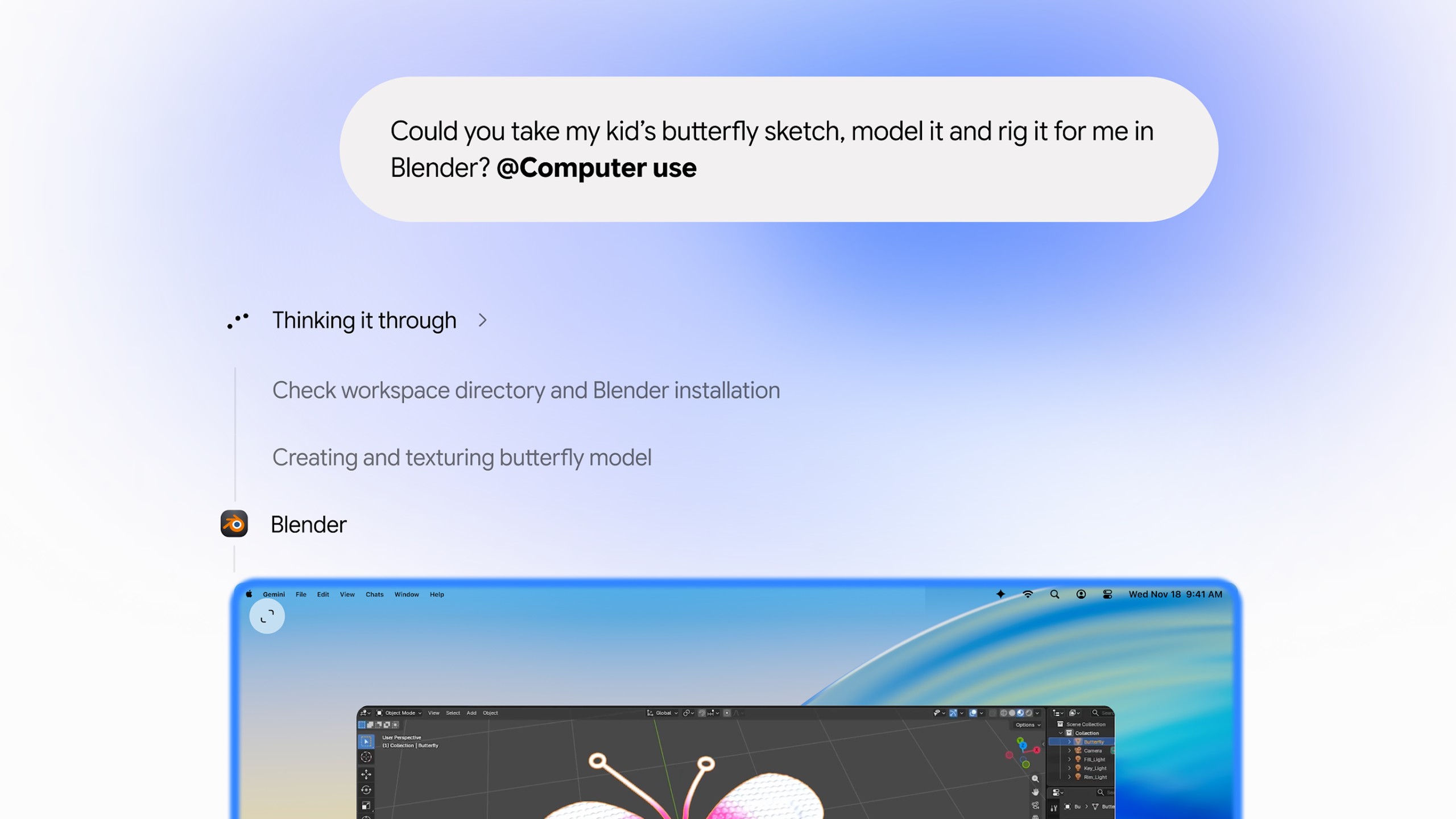
Signal's move lands in a week when AI agents that operate your devices took several steps forward. Google brought computer use to the Gemini app on Mac on November 19, OpenAI began testing its Dots agents with some ChatGPT Plus users, and a newly posted Apple job listing describes an in-house AI agent that can use a computer the way a capable person does. Reuters also reports that an Apple operating system update this week closed the specific route Muse used on the Mac, while adding new permissions for agents with extra warnings.
For Signal users, the practical change is small: leave the new setting on unless you need a screenshot. The bigger question is whether the companies that make phone and computer operating systems will give apps like Signal a cleaner way to keep AI assistants out. Whittaker calls Signal the canary in the coal mine, and says the problem affects banking, health and other sensitive apps too.
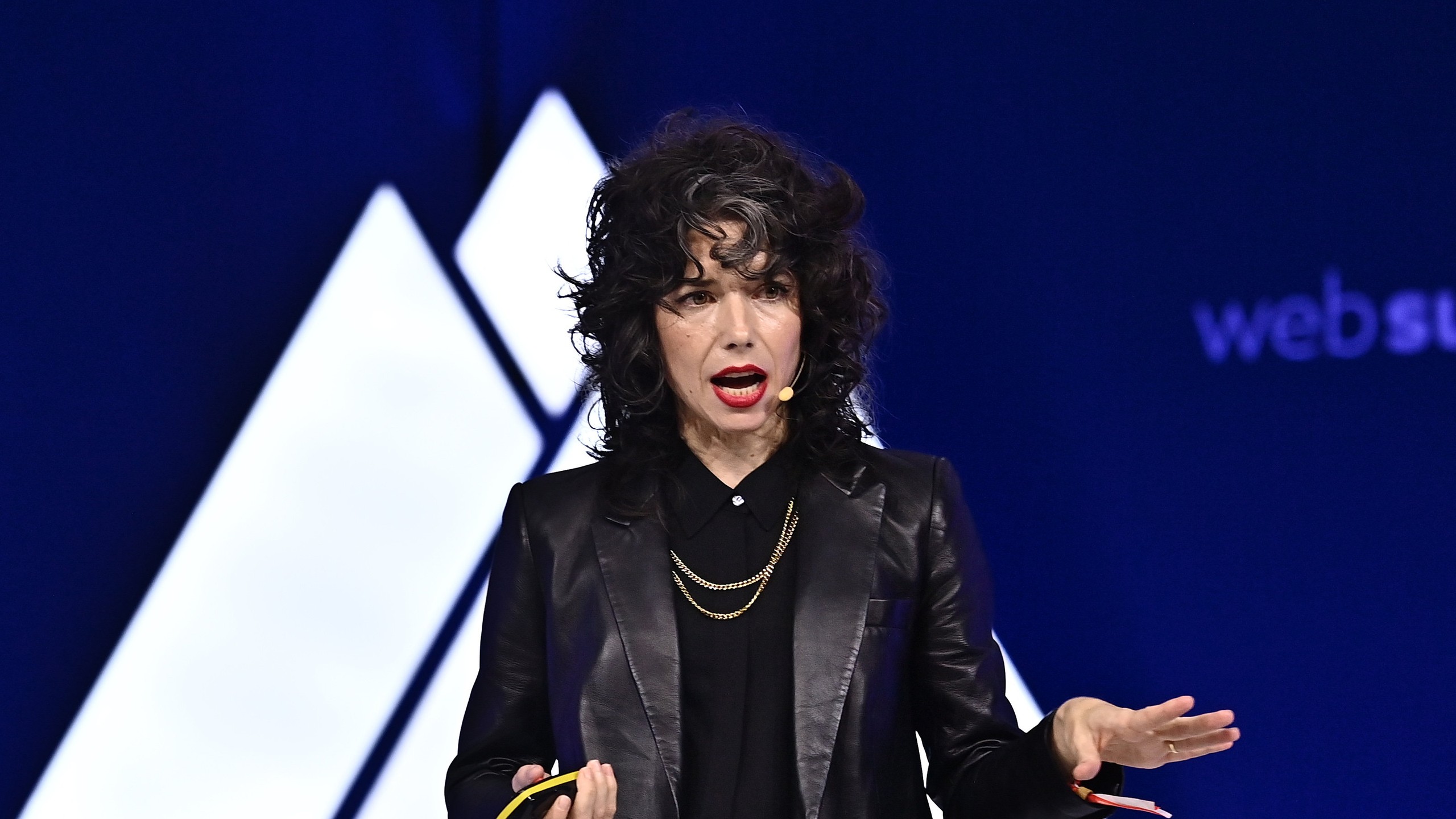
Top photo: Meredith Whittaker speaking at Web Summit 2022 (Photo: Web Summit / CC BY 2.0 via Wikimedia Commons).
See more of The Threshold on Google
Add us as a preferred source to see more of our stories in your Top Stories.
Frequently asked questions
Why can't I take screenshots in Signal anymore?
Signal now blocks screenshots on iOS 27, and on Android it turns on its Screen security setting when it detects an AI assistant trying to read the screen. The aim is to stop built-in AI assistants such as Siri AI and Google Gemini from capturing your chats. You can turn it off in Signal's privacy settings.
How do I turn off Signal's screenshot block?
Open Signal, tap your profile picture, go to Settings, then Privacy, and find the App security section. Turn off Block Siri AI on iPhone or Screen security on Android. Signal warns this may expose your and your contacts' messages to AI agents.
Does this affect Signal on iPhone, Android and Mac?
It covers iOS 27 and Android, though Signal says the Android protection does not work the same on every phone. It does not cover macOS, where Signal says it cannot reliably block screenshots, so it recommends adding Signal to Excluded Apps under System Settings, then Siri.
Is Signal's encryption broken by AI assistants?
No. Signal's end-to-end encryption still protects messages in transit. The issue is that an assistant that can read your screen sees the same text you do after a message is decrypted and displayed, and Signal cannot control what happens to that copy.
What is the Block Siri AI setting in Signal?
It is a new option in Signal's iOS app security settings. Signal says it prevents Siri AI from scanning Signal content and also blocks screenshots in the app and the App Switcher.
Can I stop Siri AI from reading Signal another way?
Yes. On iOS 27.2 and later, open Settings, then Siri, then Excluded Apps, tap Add Apps and select Signal. The EFF says Siri AI then cannot access the app's content, and onscreen awareness stops working inside it.
What did Meta's Muse do with Signal messages?
A Reuters investigation published November 18 found Muse could read Signal message text on Android through notification access and on a Mac through accessibility and screenshot permissions, without breaking encryption. Meta said Muse only accesses apps through permissions users grant.
Does blocking screenshots fully protect my Signal chats?
No. Signal calls its fix incomplete. It does not stop other routes, such as an agent reading data already stored on the device, and it does not cover the Mac or every Android phone. Signal is asking Apple, Google and Microsoft for better developer tools.