Kagi Mail: price, features and how it compares to Gmail

/ Kagi Mail is open to all with a 60-day free trial, then $99 a year. Here's what you get, what's missing, and how it compares with Gmail, Proton and Fastmail.
by Hozefa Khety
· 8 min read
Kagi, the company behind the paid, ad-free Kagi Search and the Orion browser, has opened Kagi Mail to everyone. The private email and calendar service went into public beta on November 23, 2026, with a 60-day free trial. After that it costs $9 a month or $99 a year (plus sales tax), and it is included at no extra cost for people on Kagi's $25-a-month Ultimate plan.
Kagi pitches it as the missing piece for people who have already swapped Google Search and Chrome: "no surveillance, no ads, open standards, and no lock-in." Below is what you get, what is still missing, how the AI features work, and how the price compares with Gmail, Proton Mail and Fastmail. Prices and plan details were checked against Kagi's own pages at 18:52 IST on November 24, 2026 (13:22 UTC).
How much does Kagi Mail cost?
Kagi Mail is free for the first 60 days. After the trial, the standalone Kagi Mail plan is $9 a month or $99 a year, with sales tax on top, according to Kagi's help center. Digital Trends reports that you need to add a card to start the trial, though Kagi says nothing is charged until the trial ends.
If you already pay for Kagi Ultimate, which costs $25 a month (or 10% less if you pay yearly), Kagi Mail is included. Ultimate members simply sign in with their existing Kagi account. On Ultimate, Kagi Mail's AI features draw from the same monthly AI allowance as Kagi Assistant. Kagi's cheaper Starter ($5 a month) and Professional ($10 a month) search plans do not include Mail, so those members would need the separate Mail plan.
What do you get with Kagi Mail?
The basics are a @kagimail.com address, unlimited aliases (extra addresses that forward to your inbox, handy for signing up to shops and newsletters), unlimited custom domains, a built-in calendar and 50GB of storage. You can create random aliases on @kagimail.com and custom aliases on your own domain, give each one its own name and signature, and switch off any alias that starts attracting spam.
For families and small teams, you can set up shared addresses on your own domain, such as family@ or info@, and choose who can read them. Sign-in works through a social login or an organization's own identity provider. Shared mailboxes are listed as coming soon.
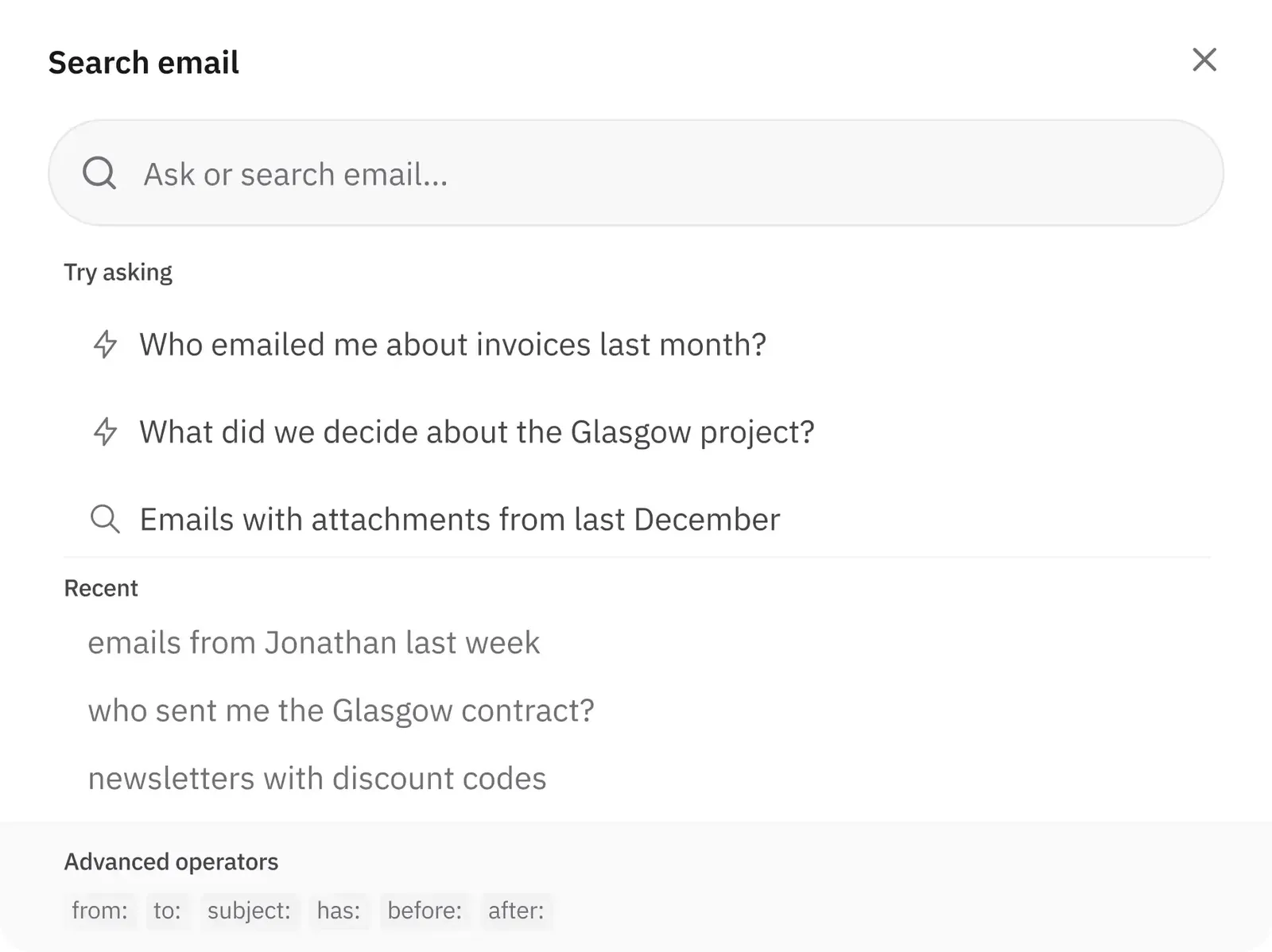
Other everyday touches include an undo-send window (15 seconds by default), a phishing warning for suspicious senders, sender logos for verified brands, built-in proofreading and Kagi Translate while you write, and a keyboard-first design with a command palette and search operators.
How do Kagi Mail's AI features work?
Kagi Mail leans on AI to sort your inbox rather than to write for you. Kagi says plainly that the service does not draft replies in your voice. The main features are:
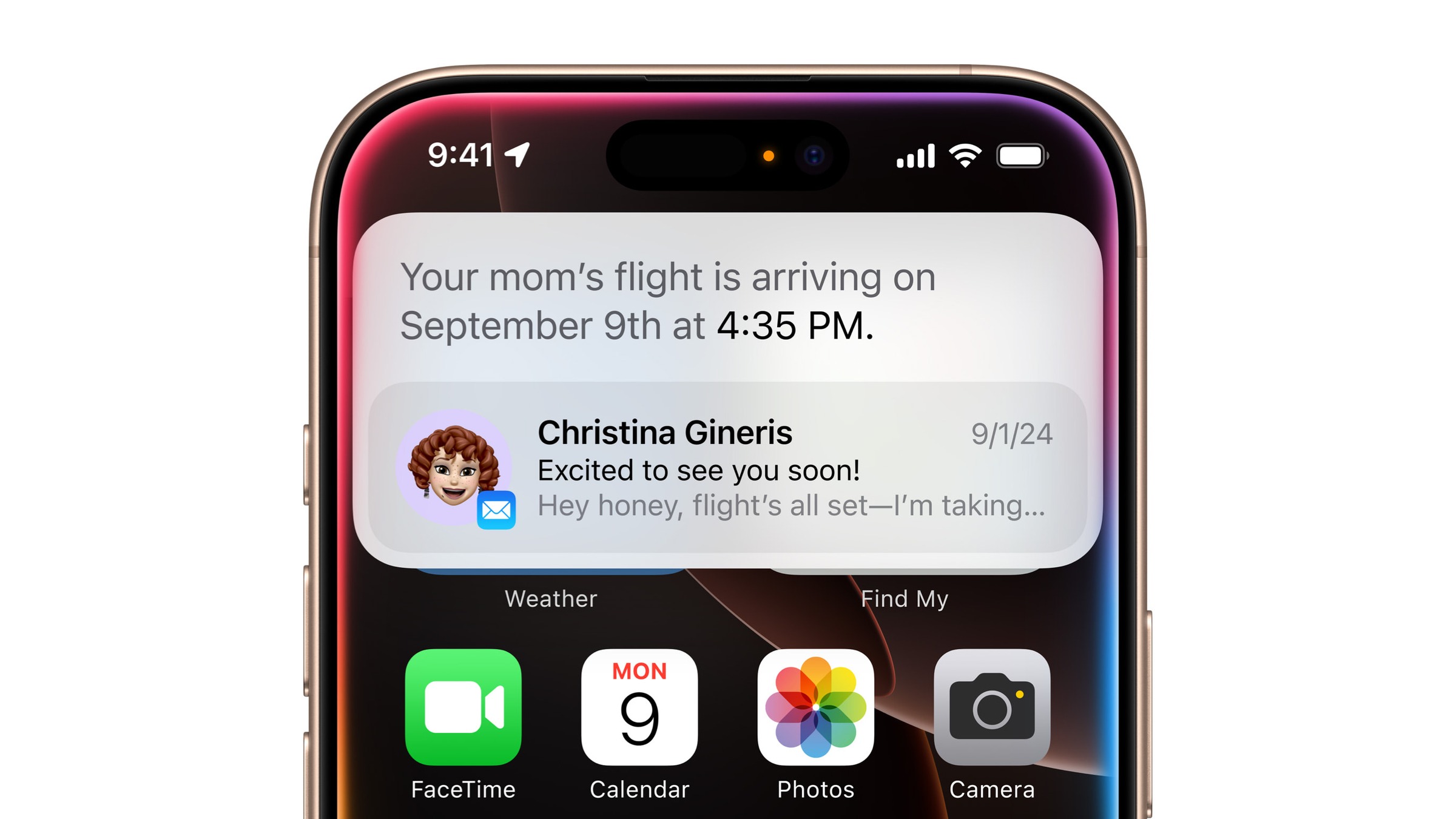
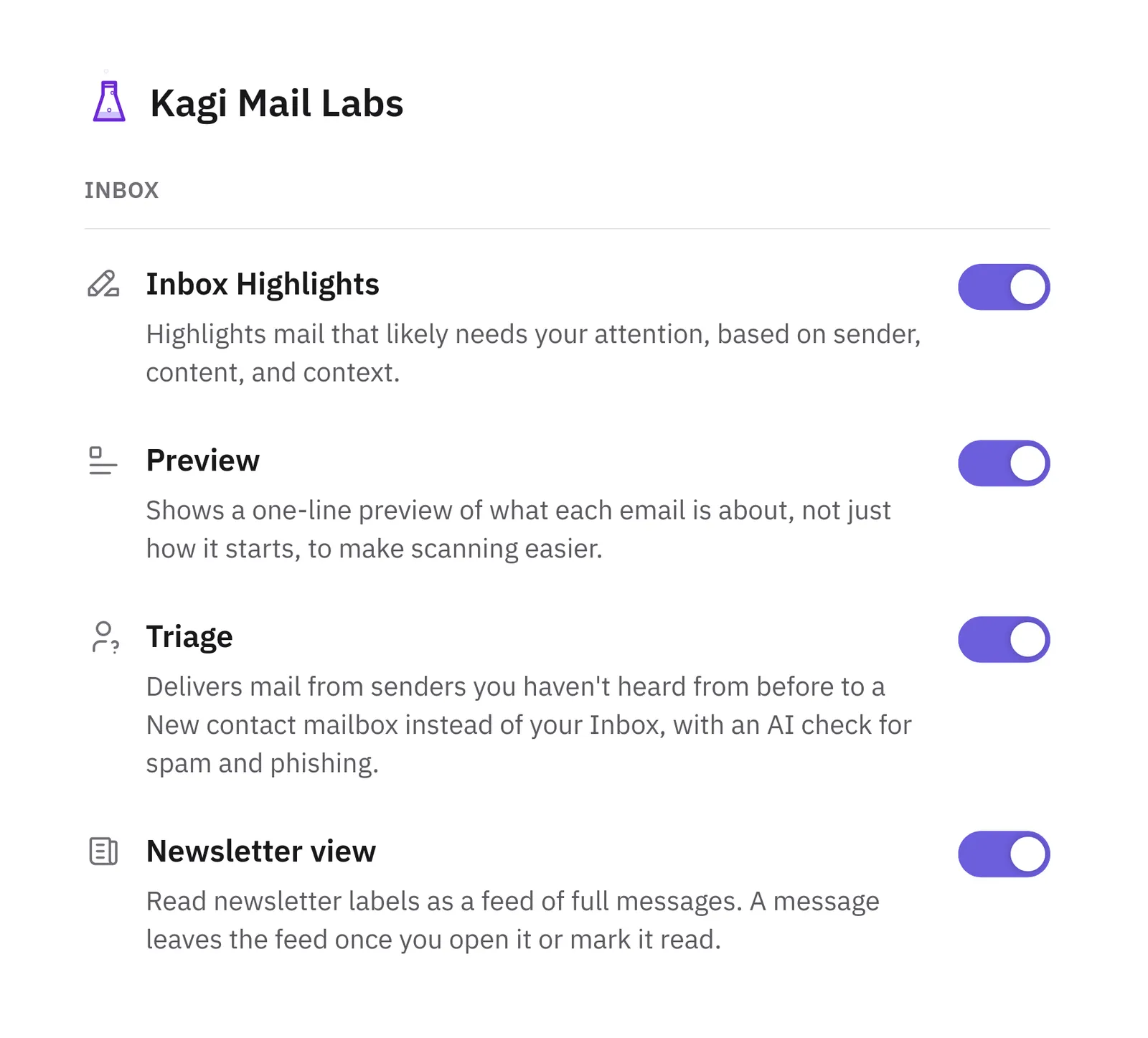
Inbox Highlights flag the emails that likely need you today, such as someone waiting on a reply or something due, and learn from what you dismiss. Each highlight links to the original email. Preview gives every message a one-line summary of what it is about, rather than just its first line.
Rules let you sort mail by writing a sentence, such as "Receipts go in Receipts," instead of building filters. You decide what each rule is allowed to read and do. Ask lets you type a question like "What did we agree on the budget in March?" and get a direct answer with a link to the source email, including text found inside scanned PDFs and photos.
Triage sends mail from people you have never heard from to a separate New contact mailbox, with an AI check for spam and phishing, so they do not land in your inbox until you approve them. Newsletter view turns newsletters into a feed you can read separately from real mail. You can also CC or forward a thread to [email protected] to ask about it, for example what was decided.
All of this can be switched off with one setting. Turning AI off pauses Highlights, Preview, AI rules, natural-language search, translation, proofreading and the email assistant, while Triage keeps sorting new senders. If you prefer classic filters, Kagi Mail also supports Sieve, a standard filtering language that runs without any AI.
Is Kagi Mail private and encrypted?
Kagi says there are no ads, no profiling and no selling or sharing of your data, and that your email is never used to target ads. To stop senders from seeing when and where you opened a message, Kagi Mail strips most tracking pixels and loads remote images through Kagi's own image proxy. That protection applies no matter which email app you use. HTML emails open as plain text by default, and you press V to see the full design.
Email is encrypted at rest and in transit, but Kagi Mail is not end-to-end encrypted and does not offer PGP. Kagi explains that the service has to read your mail to flag what needs you and answer your questions. That is the main difference from Proton Mail or Tuta, where the provider cannot read your messages. Kagi notes that you can add end-to-end encryption yourself through a third-party email app such as Thunderbird.
Does Kagi Mail work with Apple Mail, Thunderbird and phones?
Yes, with one big caveat on phones. Kagi Mail runs on the open-source Stalwart mail server and supports the standard IMAP, SMTP, JMAP and CalDAV protocols, so it works with Apple Mail, Thunderbird, K-9 Mail, FairEmail, Outlook and other apps. You create an app-specific password in Kagi Mail's External Clients settings and sign in with it. POP3 is not supported.
There are no native Kagi Mail apps for iPhone or Android yet. Until they arrive, Kagi suggests using its mobile web app or a third-party email app. Power users can also connect AI tools to their mailbox through a read-only MCP server, with setup notes for Claude, Claude Code, ChatGPT and Codex. Read-only means those tools can search and read mail but cannot send, change or delete anything.
What's missing from Kagi Mail right now?
This is a beta, and Kagi lists several gaps. Contacts and an address book are due in the first quarter of 2027, along with full Kagi Assistant integration. Native mobile apps are targeted for the third quarter of 2027. Tasks are not supported yet, shared mailboxes are still coming, and the email assistant cannot take actions on your behalf yet. Kagi also notes that not every feature is reachable with a mouse alone, since the interface was designed around keyboard commands.
How do you move from Gmail to Kagi Mail?
Kagi Mail has two import options in its Import & Export settings. An IMAP import pulls mail straight from your old account and keeps read, unread and flagged status, but it needs Kagi to store an encrypted copy of that account's password, and OAuth sign-in is not supported yet. Kagi recommends using an app-specific password from Gmail, Outlook or Zoho for this. Alternatively, you can upload an MBOX export file, such as one from Google Takeout, though MBOX does not keep labels or read status.
Kagi also promises an easy exit. You keep access to your mailbox for six months after leaving: you can send and receive email for the first 60 days, then read and export it for the remaining four months. A one-click export is built in, and Kagi says your data is deleted on a set schedule after you cancel.
Kagi Mail vs Gmail, Proton Mail and Fastmail
Gmail: free, with storage shared across your Google account, but it is funded by Google's ad business. Kagi Mail costs money and has no ads, but lacks Gmail's polished mobile apps and its contacts integration for now.
Proton Mail: Proton lists Mail Plus at $4.99 a month on monthly billing, or $47.88 a year at renewal (currently $29.88 for the first year as an introductory deal), with 15GB of storage. It is cheaper and end-to-end encrypted, which Kagi Mail is not, but it has less storage than Kagi's 50GB.
Fastmail: Fastmail's Individual plan is $6 a month, or $5 a month when billed yearly ($60), with 60GB of storage, native mobile apps and contacts. Kagi Mail costs more per year and is newer, but adds AI inbox tools and comes bundled with Kagi Ultimate.
Rival prices were read from Proton's and Fastmail's US pricing pages at 18:52 IST on November 24, 2026, exclude tax and can change.
Should you try Kagi Mail?
If you already pay for Kagi Ultimate, there is little reason not to try it, since it costs you nothing extra. For everyone else, the 60-day trial is long enough to judge the AI sorting and the privacy tools. People who rely on a phone app, need end-to-end encryption, or depend on a contacts list may want to wait until the 2027 updates land.
Sources: Kagi blog (Kagi Mail public beta announcement, November 23, 2026), Kagi Mail product page, Kagi Mail FAQ in Kagi's help center, Kagi pricing page, The Verge, Digital Trends, Proton Mail pricing and Fastmail pricing pages.
See more of The Threshold on Google
Add us as a preferred source to see more of our stories in your Top Stories.
Frequently asked questions
How much does Kagi Mail cost?
Kagi Mail is free for 60 days, then $9 a month or $99 a year plus sales tax. It is included at no extra cost with Kagi Ultimate, which is $25 a month. Prices checked 18:52 IST on November 24, 2026.
Is Kagi Mail free?
Only during the 60-day free trial. There is no permanent free plan. Digital Trends reports that a card is needed to start the trial, with nothing due until it ends.
Who can sign up for Kagi Mail?
Anyone. Kagi Mail moved from a closed beta to a public beta on November 23, 2026. Existing Kagi members sign in with their Kagi account, and new users can create a @kagimail.com address.
Is Kagi Mail end-to-end encrypted?
No. Mail is encrypted at rest and in transit, but Kagi does not offer end-to-end encryption or PGP because its AI features need to read your mail. You can add end-to-end encryption yourself with a third-party app such as Thunderbird.
Does Kagi Mail have an iPhone or Android app?
Not yet. Native mobile apps are planned for the third quarter of 2027. Until then you can use the mobile web app or any IMAP or JMAP email app, such as Apple Mail.
Can I turn off the AI in Kagi Mail?
Yes. One switch in General settings turns off Inbox Highlights, Preview, AI rules, natural-language search, translation, proofreading and the email assistant. Triage keeps sorting new senders, and Sieve filters work without AI.
Can I import my Gmail into Kagi Mail?
Yes. You can import over IMAP using a Gmail app-specific password, which keeps read and flagged status, or upload an MBOX file such as a Google Takeout export. OAuth sign-in for imports is not supported yet.
What happens to my email if I cancel Kagi Mail?
You keep access for six months: 60 days to send and receive, then four months to read and export. Kagi offers a one-click export and deletes your data on a set schedule afterwards.