Bambu Lab S1 3D scanner: price, specs and release date
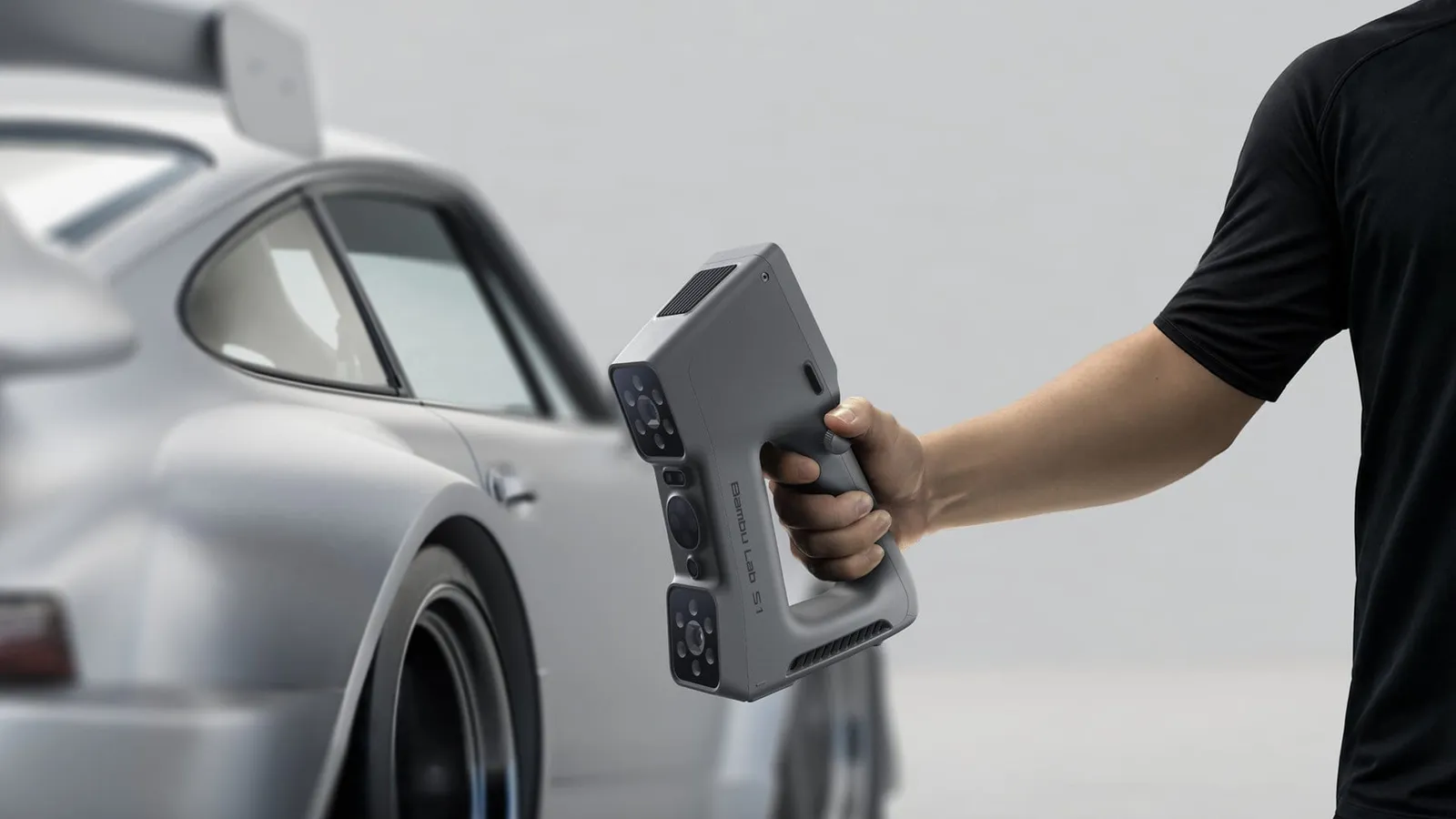
/ Bambu Lab's first 3D scanner, the S1, costs $1,699. Here are its specs, scan modes, PC requirements, regional prices and when US pre-orders ship.
by Hozefa Khety
· 9 min read
Bambu Lab, the company best known for fast, beginner-friendly 3D printers, launched its first 3D scanner on November 26, 2026. The Bambu Lab S1 is a handheld, wireless scanner that costs $1,699 in the US. It turns real objects into 3D models you can measure, edit or send straight to a Bambu printer.
The pitch is simplicity. You pick a preset for what you are scanning, such as a face, a car part or a small figurine, and the S1 sets itself up. Here is what it costs in each region, when it ships, what it can do, which PCs it works with, and how it compares with Elegoo's M1 Ultra, which costs exactly the same.
How much does the Bambu Lab S1 cost?
The S1 is sold as a single kit with no cheaper or bigger bundle. On Bambu Lab's official stores (checked November 26, 2026 at about 21:27 UTC) it costs $1,699 in the US, €1,699 in the EU, £1,399 in the UK and CA$2,399 in Canada, where the price excludes sales tax. The US store includes free shipping to the 48 contiguous states and lists a two-year warranty.
There is no Black Friday price cut on the scanner. Bambu's stores are running a Black Friday week promotion with double Bambu Credits (store credit for future orders), so a US order of the S1 currently earns 3,398 credits, double the usual amount.
Bambu is also leaning on software value. The company says its scan-processing tools come free with the scanner, and points out that a perpetual licence for professional scan-processing software can easily cost more than $1,500 on its own.
When does the Bambu Lab S1 ship?
In the US, the S1 is now a pre-order. When we checked, the US store gave an estimated ship date of around December 28, 2026. Launch-day coverage from 3DPrinting.com quoted around December 4 for US orders, so the US estimate has already moved back by more than three weeks.
Canada still showed an estimated ship date of around December 4, 2026. The EU and UK stores list the scanner at full price with their standard note that orders leave the local warehouse within one to three business days once processed. Bambu has not announced prices for other regions on its launch post, which quotes only the US price.
What is the Bambu Lab S1?
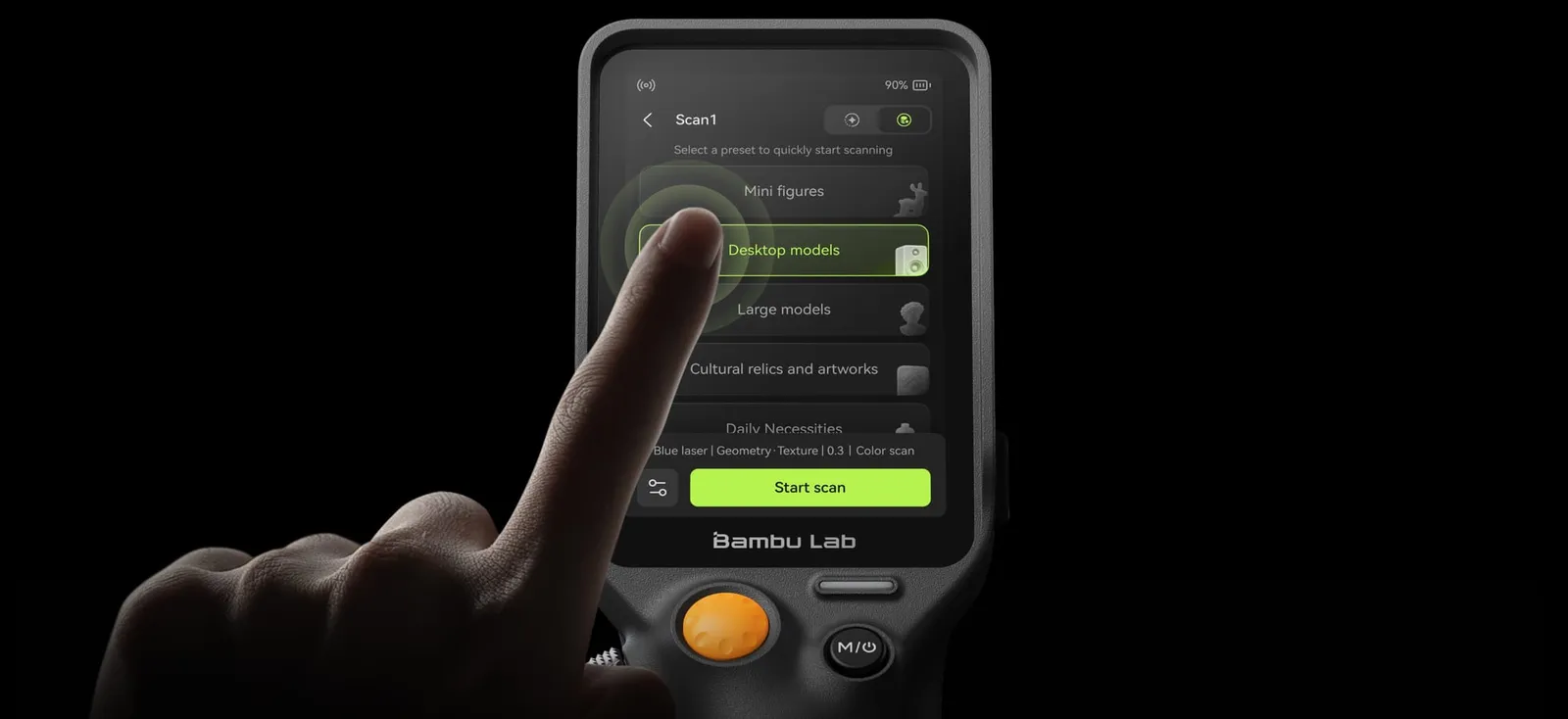
The S1 is a pistol-grip scanner that weighs 710 g and measures 233 x 160 x 77 mm. Bambu says the angled handle holds it at a natural scanning angle, with the buttons and a scroll wheel under the 3.5-inch touchscreen so you can start, pause and zoom with one thumb.
Everything needed for cable-free scanning is built in. Two 4,800 mAh batteries give up to 3.5 hours of scanning in Bambu's lab test (at 25°C, in the most power-hungry blue laser mode), and the included 60W charger refills them from empty in about 1.5 hours. A Wi-Fi 6 radio streams data to your PC at up to 80 frames per second, or you can plug it in with a cable.
The scanner does not work on its own, though. It needs a Windows PC running Bambu's software to build the 3D model, and that PC has fairly specific requirements, covered below.
Scanning modes and accuracy explained
The S1 has two kinds of light and four scanning modes. Three use a blue laser: 34 crossed lines for big surfaces such as cars, car doors and furniture (up to 1,836,000 points per second), 7 parallel lines for fine detail (with the tightest point spacing, 0.05 mm), and a single line for deep holes and tight spots like screw holes.
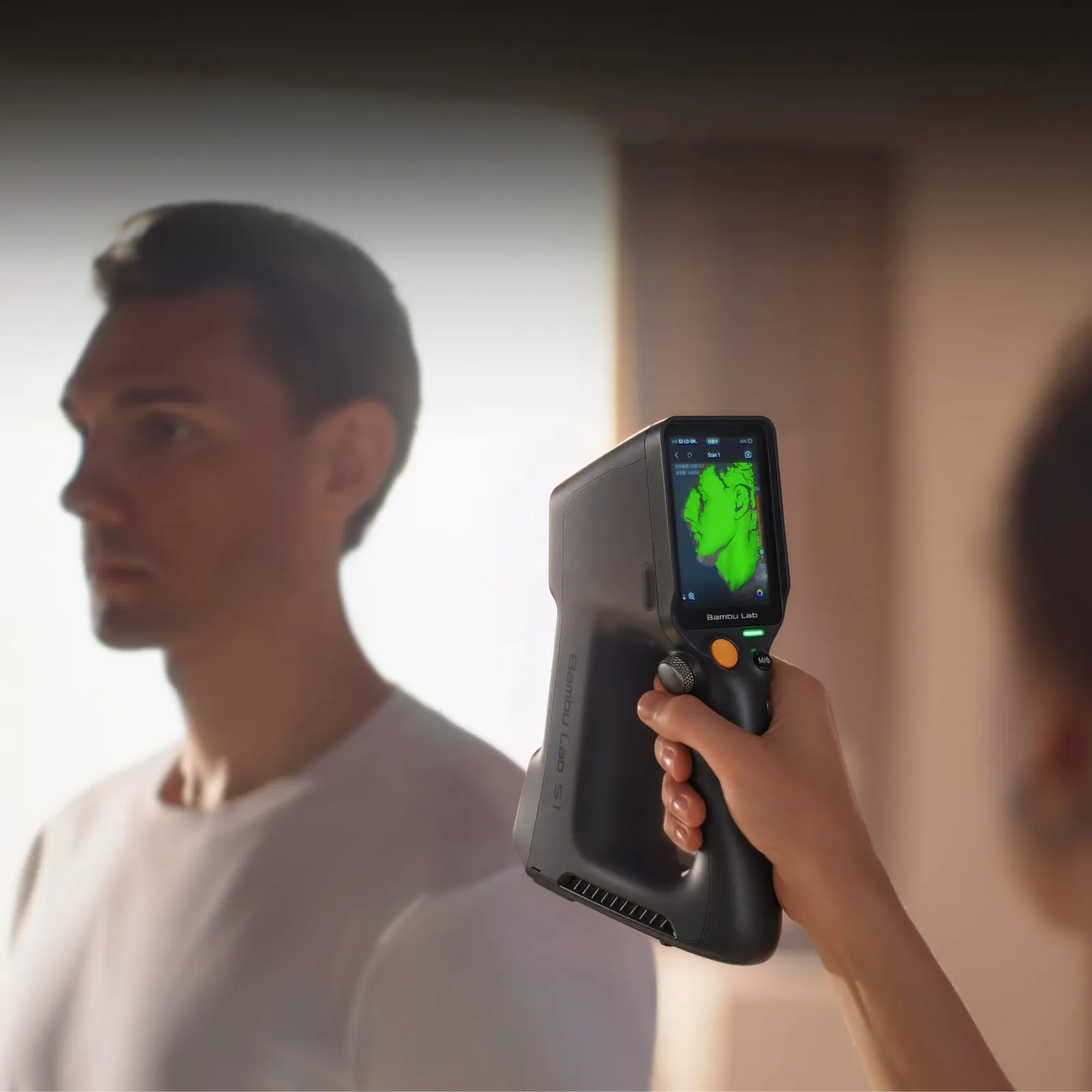
The fourth mode uses infrared structured light, which projects an invisible pattern instead of laser lines. It is the fastest, at up to 2,880,000 points per second, works up to 1 m away, and is the mode Bambu recommends for scanning people because it is eye-safe. Every mode also captures colour, using an RGB camera alongside a monochrome camera, six blue-white fill lights and six infrared fill lights.
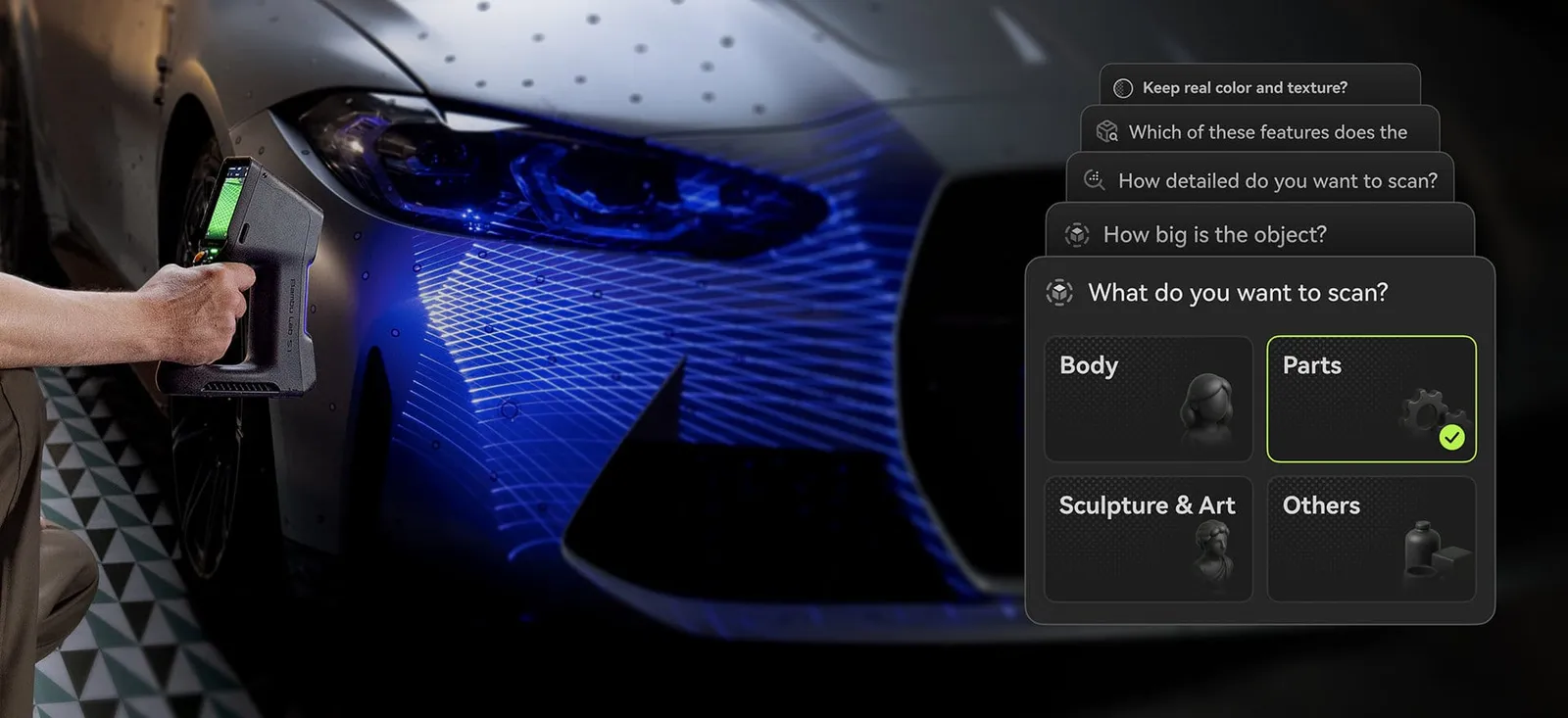
Bambu quotes accuracy of up to 0.02 mm in blue laser mode and up to 0.06 mm in infrared. Over larger objects the blue laser figure is 0.02 mm plus 0.06 mm per metre, which Bambu says keeps the error within 80 microns (0.08 mm) across a 1-metre object. These are lab figures, and real results will depend on the object, the room and your technique.
Other limits worth knowing: the blue laser can capture objects as small as 5 x 5 x 5 mm, while infrared needs at least 15 cm in each direction. Blue laser scanning runs at up to 90 frames per second and infrared at up to 30. The single-line and 34-line blue modes are rated Class 2 lasers (low-power visible lasers, so do not stare into the beam), while the 7-line and infrared modes are Class 1.
Bambu Scan software and the scan-to-print workflow
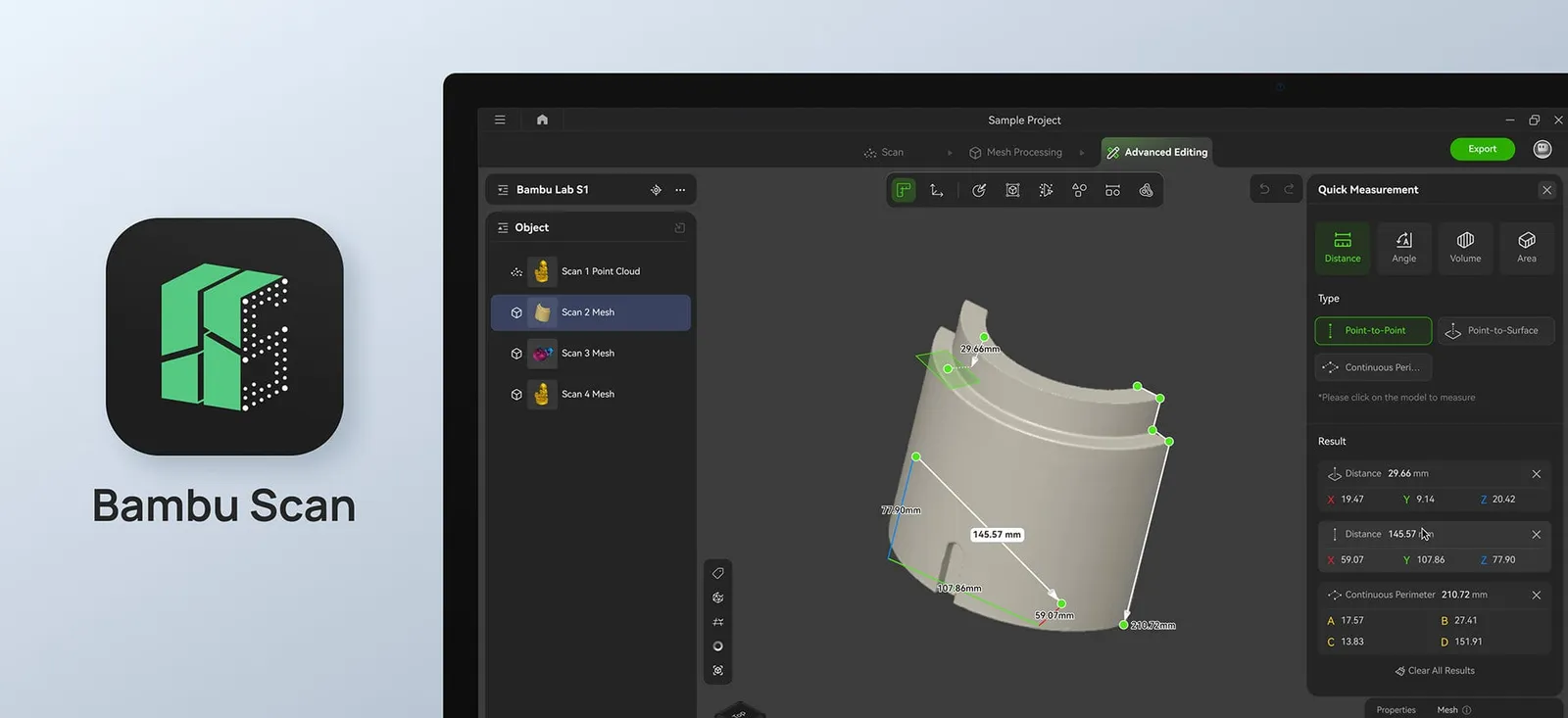
Most of the S1's ease-of-use claims rest on Bambu Scan, a free Windows app made for the scanner. It has 14 scene presets, including Face, Automotive Parts, Small Parts (under 15 cm), Cultural Relics and Arts, and a preset for glossy black parts, plus three general presets based on object size. Pick one and the light source and settings are chosen for you. If nothing fits, the app asks a few questions about the object and recommends settings.
After scanning, Bambu Scan includes eight advanced editing tools at no extra cost: Sculpt, Quick Measurement, Add Reference Model, 3D Deviation Heatmap (which colour-codes where two models differ), Coordinate Alignment, Create Feature, Feature Fit and Feature Measurement for engineering tolerance checks. Bambu's FAQ adds a catch: all eight work while the S1 is connected to your PC, and some are restricted when it is not.
When a model is finished, one click sends it to Bambu Studio, the slicer used by Bambu printers. Keep in mind that a scan produces a mesh (a surface made of triangles), which is ready to print or copy but is not the same as an editable CAD design. Reverse-engineering a part into a clean CAD model still takes separate work.
What PC do you need for the Bambu Lab S1?
For now the S1 works only with Windows PCs. Bambu says macOS support is coming soon but has not given a date. The minimum is an Intel Core i7 7th Gen or AMD Ryzen 7 processor, 64-bit Windows 10 or 11, 16GB of RAM and an Nvidia RTX 2060 graphics card with at least 6GB of video memory. Bambu recommends an Intel Core i7 13th Gen or Ryzen 9, 32GB of RAM and an Nvidia RTX 3060 or better with at least 8GB of video memory.
The FAQ is blunt about what is not supported yet: Windows PCs with non-Nvidia graphics (so AMD and Intel graphics are out) and Arm-based Windows PCs. That rules out many thin laptops, Snapdragon laptops and, for now, Nvidia's own Arm-based RTX Spark PCs. Bambu Scan has a built-in performance test you can run before buying.
Wireless scanning needs a PC with Wi-Fi 6 or a Wi-Fi 6 adapter. Bambu recommends its own adapter, which has a cooling fan, but it is sold separately. If you scan over a cable, Bambu says to plug the scanner straight into the PC with a USB 3.1 or better cable, because slower cables and docking stations can drop data. Transparent things like glass and lampshades need scanning spray first, as with most scanners.
What's in the box?
The S1 comes with a glass calibration plate, 6mm and 3mm alignment markers, a USB-C cable, the 60W fast charger and a lanyard, and the US and Canadian store listings also include a carry bag. Bambu will sell an official Wi-Fi adapter and an electric turntable, which spins objects so the scanner can capture them continuously, separately. Neither had a price at launch.
Bambu Lab S1 vs Elegoo M1 Ultra
The S1's most direct rival is Elegoo's M1 Ultra, another handheld scanner from a 3D printer brand, which went on sale on October 29, 2026. Elegoo charges the same as Bambu in all four markets: $1,699, €1,699, £1,399 and CA$2,399. The US store still listed it at $1,699 when we checked.
On paper, the M1 Ultra has a smaller 3-inch touchscreen and Wi-Fi 6, with one swappable 4,800 mAh battery that Elegoo rates for up to 1.5 hours of wireless scanning. The S1 counters with a bigger screen, two built-in batteries rated for up to 3.5 hours, free advanced editing tools and one-click export to Bambu Studio. Elegoo's ELEGOO SCAN software exports STL, OBJ, PLY and ASC files for use in other programs.
Nobody has tested the two side by side yet, so scan quality is still an open question. Independent reviews of the S1 had not appeared at the time of writing.
Should you buy the Bambu Lab S1?
The S1 makes the most sense if you already print on a Bambu machine and want to copy or replace real parts, make custom-fit accessories, or capture sculptures, props and car parts, and you have a Windows PC with Nvidia graphics. Free editing tools and the direct jump to Bambu Studio are real advantages at this price.
If you use a Mac, an AMD or Intel graphics PC, or an Arm-based laptop, wait until Bambu adds support. Everyone else may want to wait for the first independent reviews, especially as the US ship date has already moved to late December.
See more of The Threshold on Google
Add us as a preferred source to see more of our stories in your Top Stories.
Frequently asked questions
How much does the Bambu Lab S1 3D scanner cost?
The Bambu Lab S1 costs $1,699 in the US, €1,699 in the EU, £1,399 in the UK and CA$2,399 in Canada (before tax) on Bambu Lab's official stores, checked November 26, 2026. It comes as a single kit.
When does the Bambu Lab S1 ship?
It launched on November 26, 2026. When we checked, the US store listed it as a pre-order shipping around December 28, 2026, Canada showed around December 4, and the EU and UK stores showed their standard one to three business day dispatch note.
Does the Bambu Lab S1 work with a Mac?
Not yet. The S1 currently works only with Windows PCs. Bambu Lab says macOS support is coming soon but has not given a date.
What PC do I need for the Bambu Lab S1?
At minimum, an Intel Core i7 7th Gen or AMD Ryzen 7, 64-bit Windows 10 or 11, 16GB of RAM and an Nvidia RTX 2060 with 6GB of video memory. Bambu recommends an i7 13th Gen or Ryzen 9, 32GB of RAM and an RTX 3060 with 8GB or more. PCs with AMD or Intel graphics and Arm-based Windows PCs are not supported yet.
How accurate is the Bambu Lab S1?
Bambu Lab quotes up to 0.02 mm in blue laser mode and up to 0.06 mm in infrared mode, with volumetric accuracy of 0.02 mm plus 0.06 mm per metre in blue laser mode. These are lab figures, so real results depend on the object and conditions.
Can the Bambu Lab S1 scan people?
Yes. Its infrared structured light mode is the one Bambu Lab recommends for people because it is eye-safe, and Bambu Scan includes a Face preset.
How long does the Bambu Lab S1 battery last?
Its two built-in 4,800 mAh batteries last up to 3.5 hours in Bambu Lab's test, and the included 60W charger refills them in about 1.5 hours.
Is the Bambu Lab S1 better than the Elegoo M1 Ultra?
They cost the same. The S1 has a bigger screen, longer battery life, free editing tools and one-click export to Bambu Studio, while the M1 Ultra has a swappable battery. No side-by-side tests have been published yet, so scan quality is still unproven.