Android 17 brings floating bubbles, screen reactions, and tougher anti-theft tools to Pixel
/ Google's June platform update adds multitasking bubbles, built-in reaction recording, foldable gaming layouts, and expanded security controls — with QPR betas already patching launch-week bugs.
by Hozefa Khety
· 7 min read
Google began rolling out Android 17 to Pixel phones on June 16, framing the release around three pillars: getting more done on a small screen, making creation and gaming less fiddly, and tightening the guardrails when a device is lost or targeted by scams. It is the annual platform drop — eligible Android hardware will continue to receive pieces of it through 2026 on manufacturer timelines — but the first wave is unmistakably Pixel-centric. Google also says select advanced devices will pick up Gemini Intelligence later this summer as a separate capability layer, distinct from the core OS features shipping now.
If you have followed Android for the past few cycles, the tone of this update will feel familiar. There is no single visual identity overhaul comparable to a full design-language reset. Instead, Google stacked practical tools on top of an interface millions of people already navigate daily. Some additions, like floating app windows, change how power users juggle work and media. Others, like stricter controls over location and contacts, matter most when something goes wrong. The through-line is less spectacle than utility — which, for a platform update landing mid-year, may be exactly the point.
Bubbles turn any app into a floating window
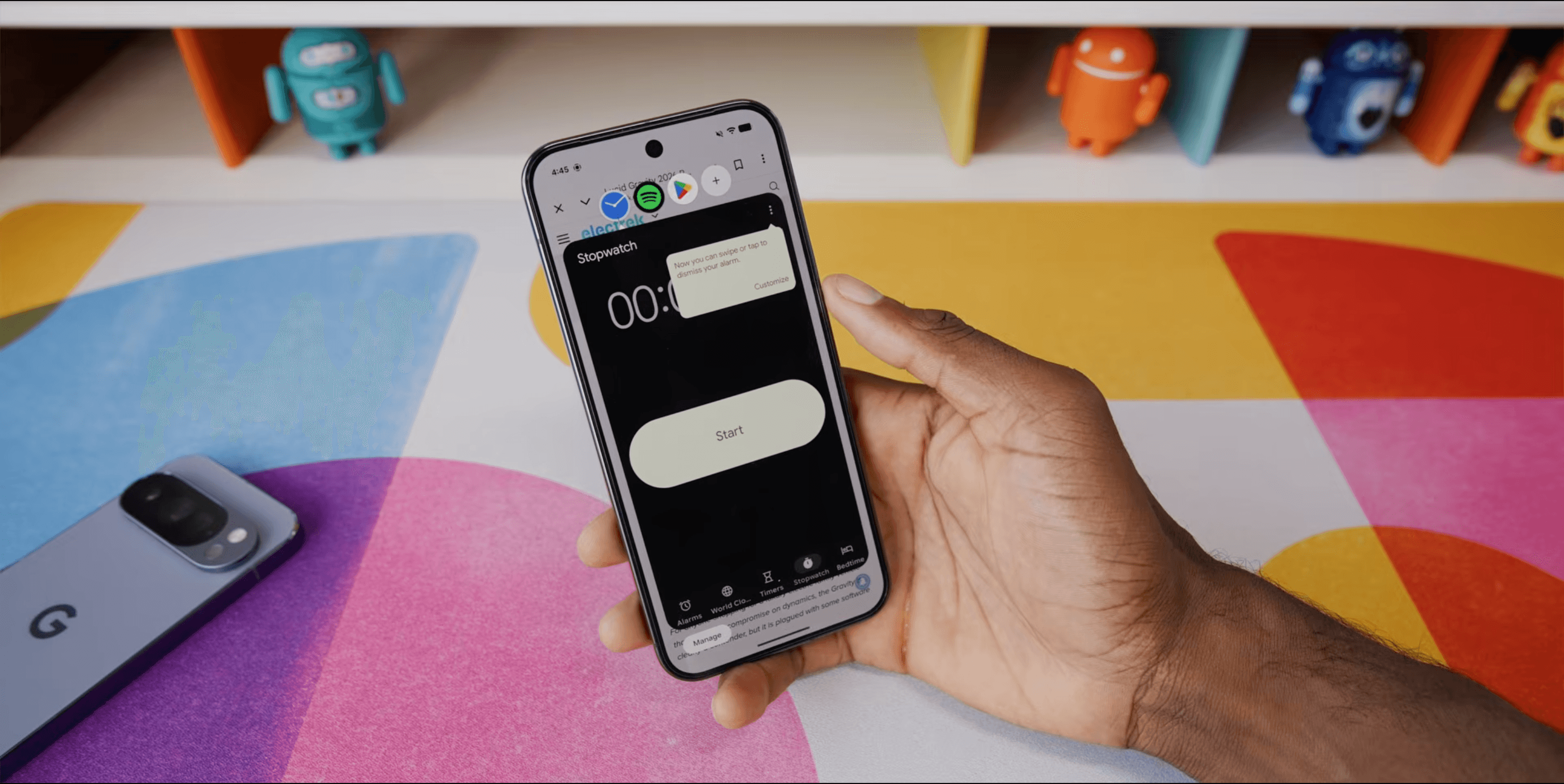
The centerpiece multitasking change is Bubbles. Google pitches it as a way to stay in flow: long-press an app icon from the home screen or app drawer, select Bubble, and the app opens in a compact floating window on top of whatever you were already using. Tap outside the window and it collapses to a small circle you can park at the edge of the display. On large-screen hardware — tablets, foldables, and devices like the Pixel Fold — active bubbles dock in a bubble bar along the bottom so you can switch between them, resize a window, or expand one back to full screen without rebuilding your entire app stack.
Messaging apps have supported bubble-style overlays for years, but Android 17 generalizes the pattern. According to hands-on reporting from Android Police, users can keep several bubbles open at once — up to five before the oldest is replaced — and dismiss one by long-pressing and dragging it to the on-screen close target. A plus control surfaces recently closed bubbles if you need to bring one back. The use cases Google highlights are practical rather than flashy: reference maps or notes while booking travel, keep a tutorial visible while trying steps in another app, glance at sports scores without abandoning your current task.
Daily-use testers describe a low learning curve — long-press, bubble, move on — which matters because split-screen multitasking never became universal behavior on phones. There are gaps. Android Police notes you still cannot promote an app already sitting in Recents into a bubble without relaunching it from its icon, a friction point Google may address in a future quarterly release. Whether Bubbles remain a Pixel-first convenience or spread cleanly to Samsung, OnePlus, and other OEM skins is an open question; the feature only delivers on Google's promise if manufacturers adopt it without burying it in custom launchers.
Screen Reactions join a rebuilt recording workflow
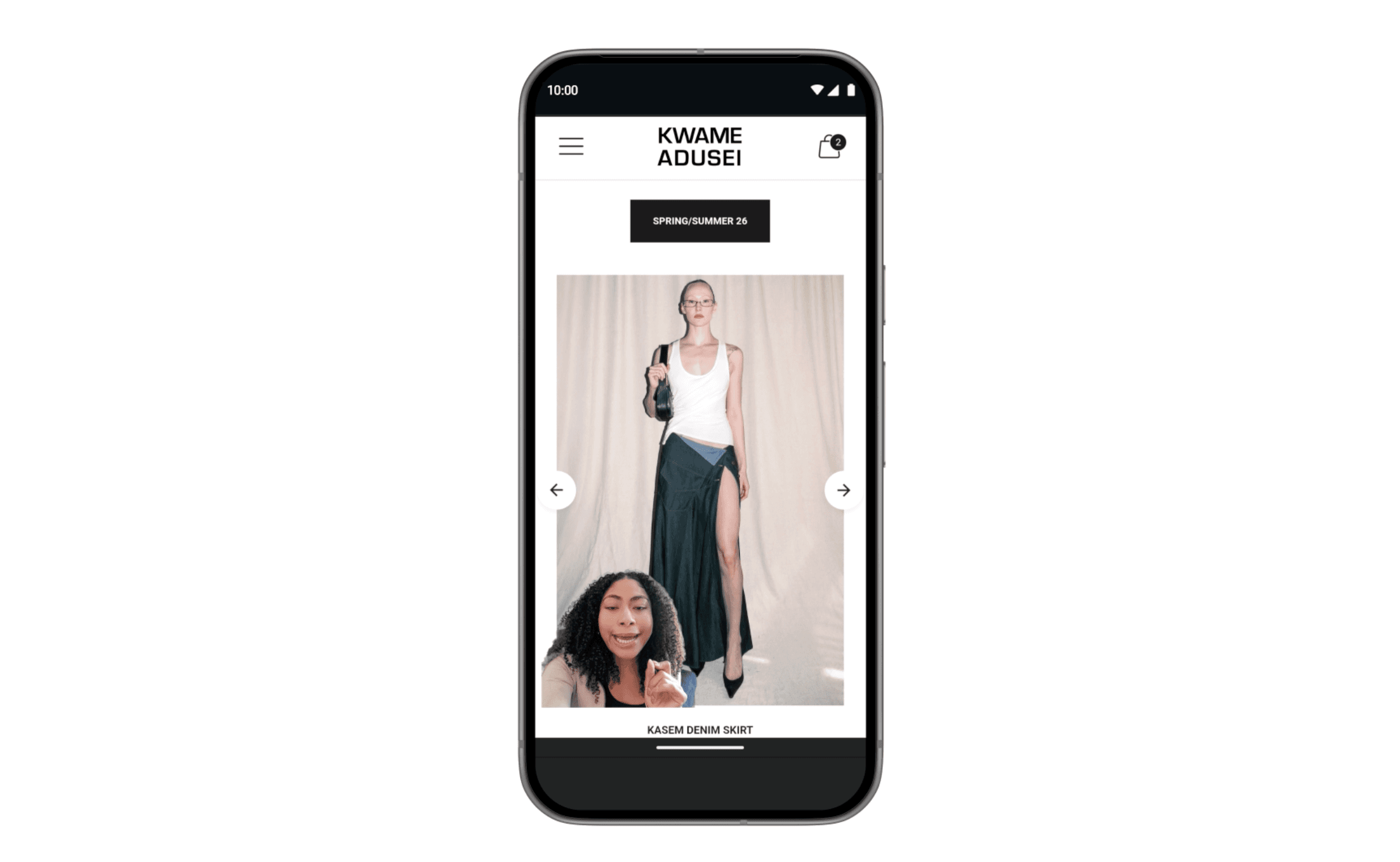
Creator-facing improvements arrive through an updated screen recording flow. Google added a new toolbar and streamlined annotation path, then layered Screen Reactions on top: enable the front camera while recording the display, position the live overlay, and capture commentary over websites, apps, or video without switching between capture tools. The intent is to make reaction-style clips a default capability of the OS rather than a workflow that starts in the Play Store.
Google's own examples lean toward sharing perspective quickly — reacting to trending clips, walking through an interface, narrating a problem you want someone else to see. It is not a replacement for a dedicated streaming setup, but it lowers the activation energy for short, informal captures. For Pixel owners who document bugs, teach family members remotely, or post casual commentary, that integration is the difference between doing it now and not doing it at all.
Foldable gaming mode splits the canvas for play
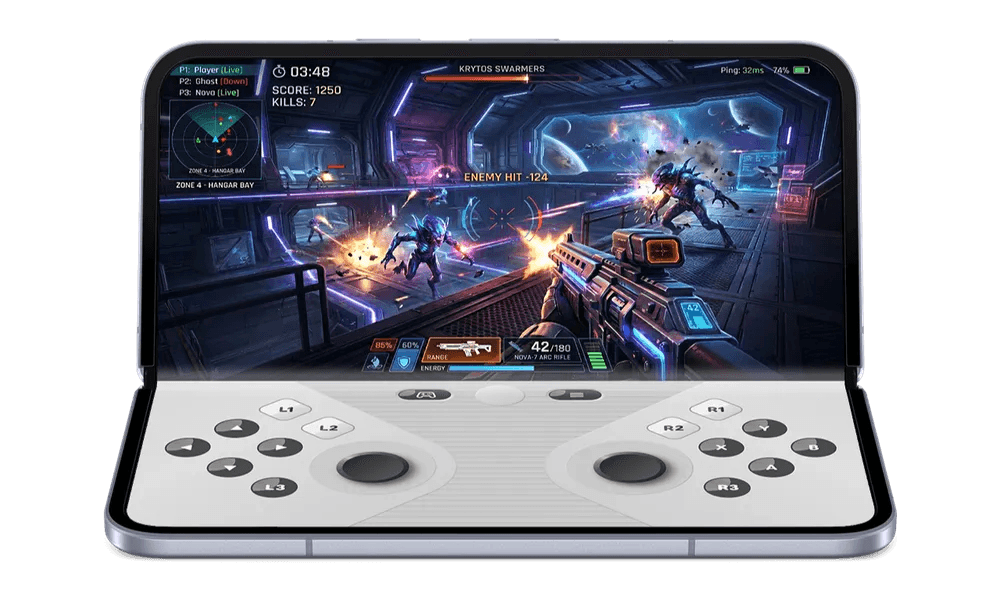
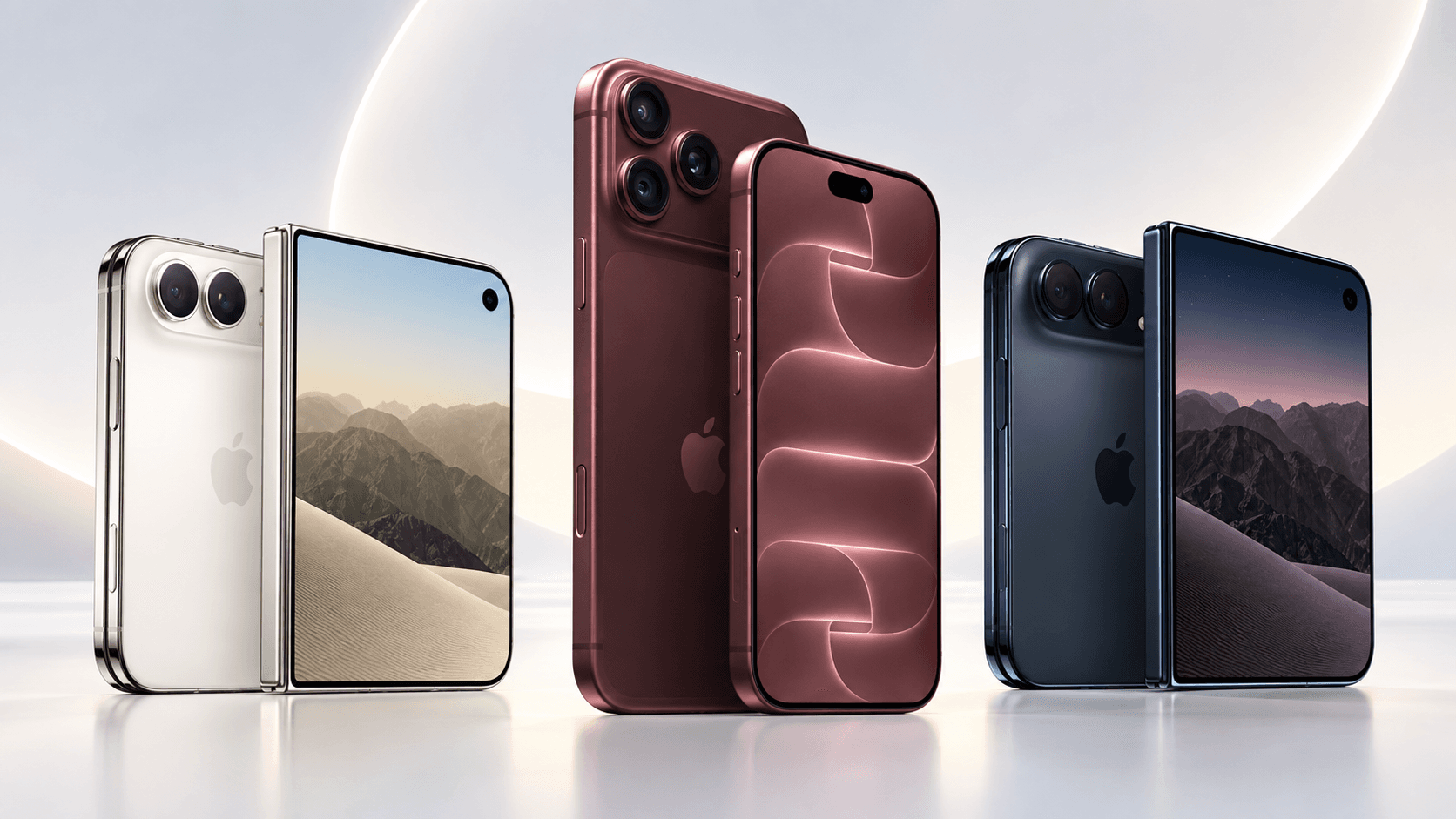
Foldable phones receive a dedicated gaming layout in Android 17. When the mode is active on supported hardware, the unfolded display divides into two halves: the game renders on top, and a dynamic on-screen gamepad occupies the bottom. Google says the goal is to use the extra canvas for both view area and control space instead of crowding thumbs over the playfield. The feature is enabled at the platform level; broader game compatibility is expected to grow over the coming months.
Google also points to performance work tied to gaming — more efficient memory cleanup during high-definition sessions to reduce stutters — and native controller remapping for players using external pads. Foldable gaming will not matter on every Android device, but it is one of the few Android 17 features that explicitly depends on hardware shape rather than treating a foldable as a stretched phone.
Security and safety get harder to bypass
Google devoted substantial release notes to security and theft scenarios. Apps can now request temporary access to precise location rather than permanent permission by default. When an app asks for contacts, Android 17 allows sharing specific people instead of exporting an entire address book — a narrower grant that better matches how most sharing requests actually work.
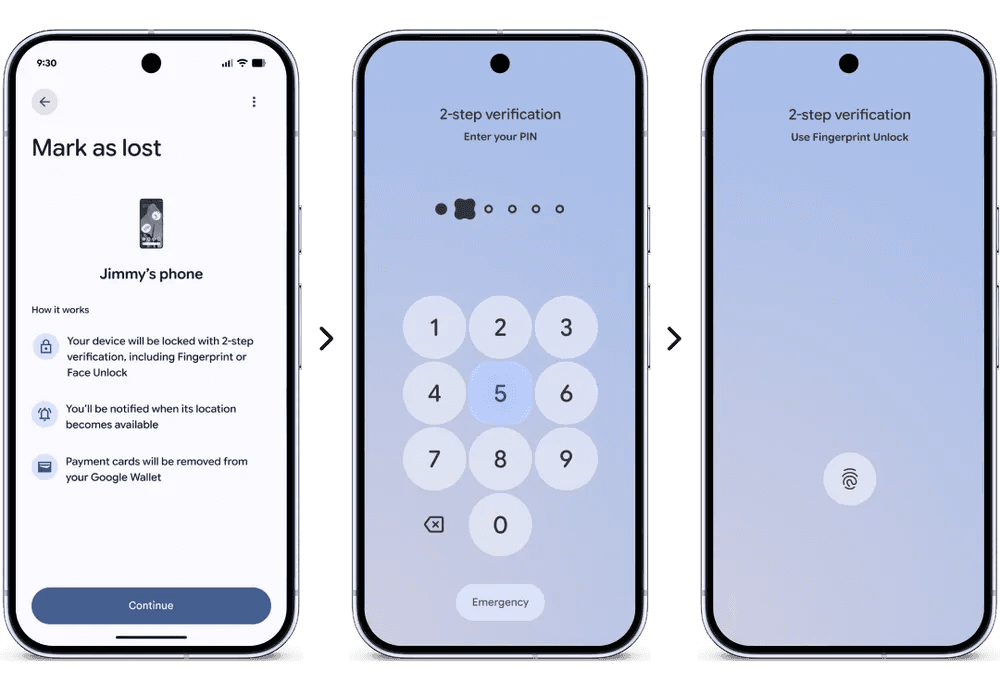
Find Hub's Mark as Lost feature received a significant upgrade: you can lock a missing phone with biometrics so that even someone who knows your passcode should not be able to access data on the device or disable tracking. Live Threat Detection, which scans for suspicious apps and scam patterns, blocks a wider set of threats in this release. Advanced Protection mode adds another tier for users who want stricter defaults. Google also reduced how many PIN attempts are allowed before lockout and lengthened delays between failed guesses — a direct response to in-person device theft where attackers try codes on the lock screen.
Parental controls, previously uneven across the ecosystem, expand to all Android devices in this release according to Google's announcement — not only Pixels. That normalization matters for families where parents and children carry different brands. None of these tools eliminate social engineering or sketchy sideloads, but they move Android's baseline closer to what users expect after years of high-profile phone theft coverage.
Custom widgets and the rest of the polish layer
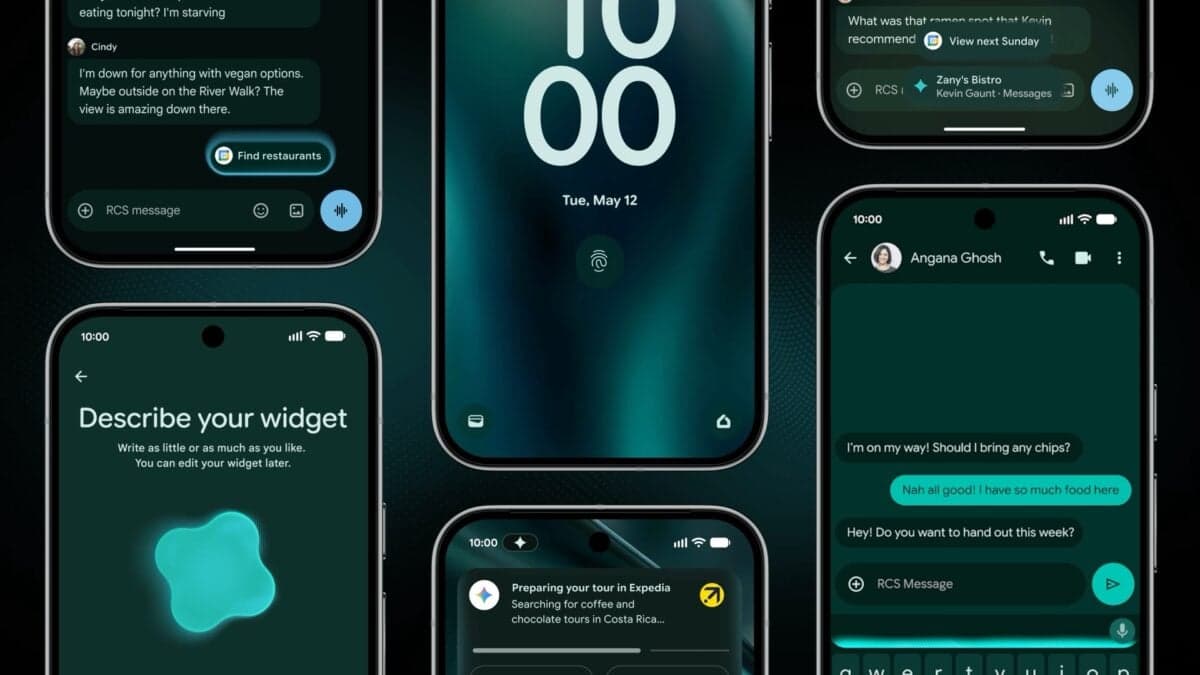
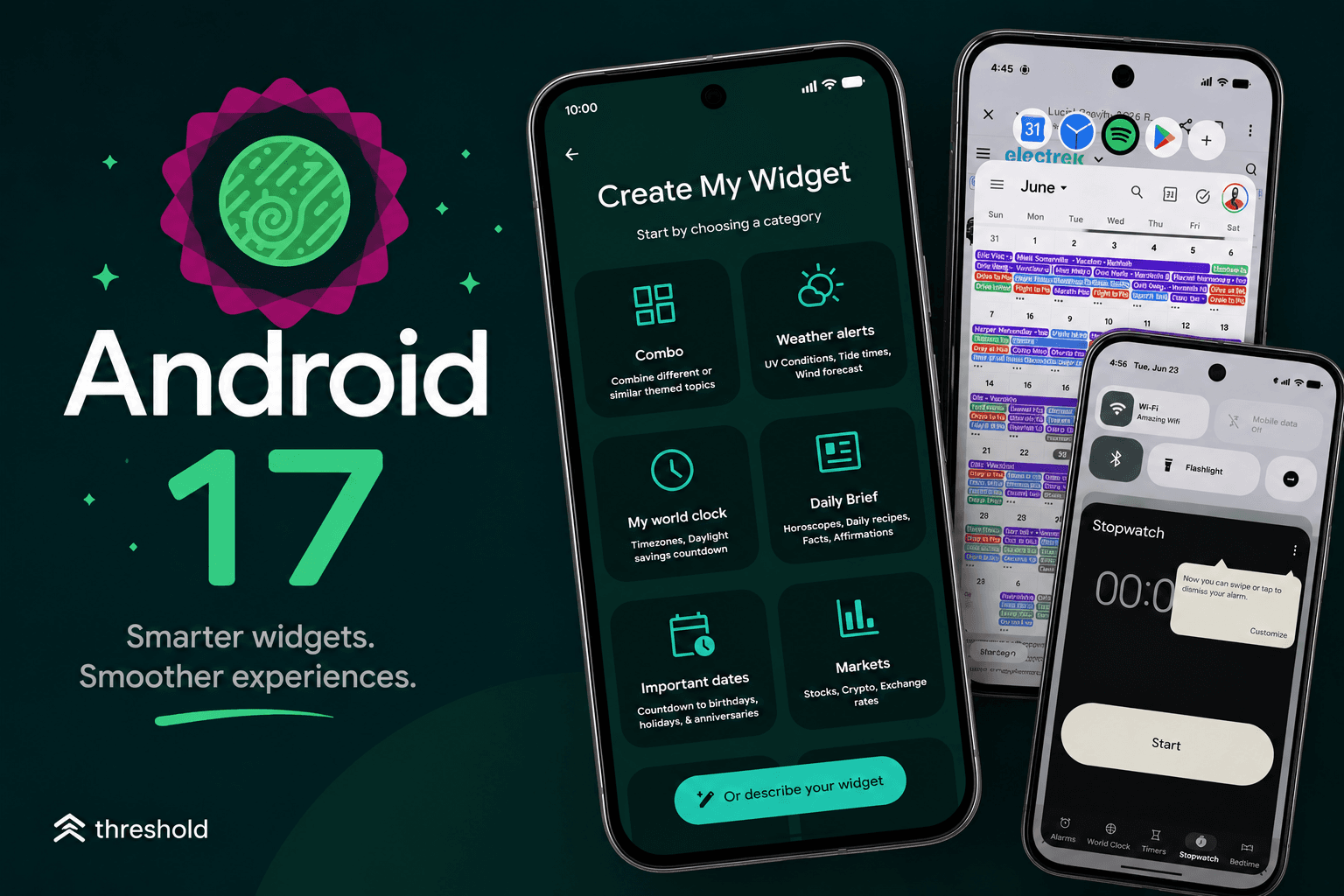
Google is also pushing widget personalization forward. The Create My Widget flow surfaces ready-made categories — weather alerts, world clocks, daily briefs, market tickers — and an option to describe what you want in plain language so the system can assemble a layout. It fits the broader Android 17 theme: less time hunting settings, more surface-level customization that does not require a third-party launcher.
Beyond widgets, Google tucked additional quality-of-life settings into the release. You can hide app names on the home screen for a cleaner icon grid. A dedicated volume control for the assistant separates assistant audio from media and ringer levels. Expanded dark theme — Android's deeper dark palette — can now be applied per app instead of as an all-or-nothing switch, which helps when one developer's idea of dark mode clashes with another's.
Performance fixes and the QPR beta pipeline
Under the hood, Android 17 introduces app memory limits so individual programs cannot consume unbounded RAM. Google positions that as a stability and battery improvement; the user-facing symptom it targets is the sluggish phone after a few heavy apps have been left open in the background.
Reporting on QPR1 Beta 5 from 9to5Google — the first quarterly platform refresh beta that landed June 23 — shows Google still sanding rough edges post-launch: fixes for Game Dashboard recordings that would not stop or save, camera stutter when launching from idle, a pixelated bottom bar when waking from Always-On Display, Private Space crashes that leaked locked apps into launcher search, and widgets disappearing from the picker after reboot.
That beta also adds a Don't ask me again option on the mobile data Quick Settings tile — a small but telling sign that connectivity controls continue to evolve after the stable release. If you are on a Pixel enrolled in the beta program, those builds are where archived-app bubble glitches and WebView rendering regressions in popular games are being patched before they reach the wider stable channel.
Who gets Android 17 — and when to install
Android 17 is available now on supported Pixel hardware, with Google listing rollout to other eligible Android devices throughout 2026. Check Settings > System > Software updates on a Pixel to pull the stable build. Gemini Intelligence on select devices remains a later-summer addition, separate from the June platform drop.
Treat QPR betas as the continuation of the story, not a reason to delay the stable release if you are on supported hardware and want Bubbles or the security upgrades today. Platform updates on Android are rarely a single date on a calendar; they are a stable release followed by quarterly refinements and OEM ports that arrive on staggered schedules. For a clear inventory of what Google considers in scope for this version, the company maintains a public feature list at android.com/17 — worth bookmarking if you are deciding whether a specific capability has reached your device yet.
Frequently asked questions
When was Android 17 released?
Google began rolling out Android 17 to Pixel phones on June 16, 2026, with other eligible Android devices receiving it throughout 2026 on manufacturer timelines.
What are the main new features in Android 17?
Android 17 adds floating multitasking bubbles, built-in screen reaction recording, foldable-optimized gaming layouts, expanded anti-theft and security controls, custom widget creation, and per-app dark theme.
Which devices can get Android 17?
Android 17 is available now on supported Pixel hardware. You can check for it under Settings > System > Software updates. Other eligible Android devices receive it on staggered OEM schedules through 2026.
What are the Android 17 anti-theft features?
Android 17 tightens guardrails for lost or stolen devices and scam targeting, expanding the security controls Google introduced to protect data when a phone leaves your hands.