iOS 27 beta 2 puts Siri in the camera and the keyboard — and draws a line on web summaries
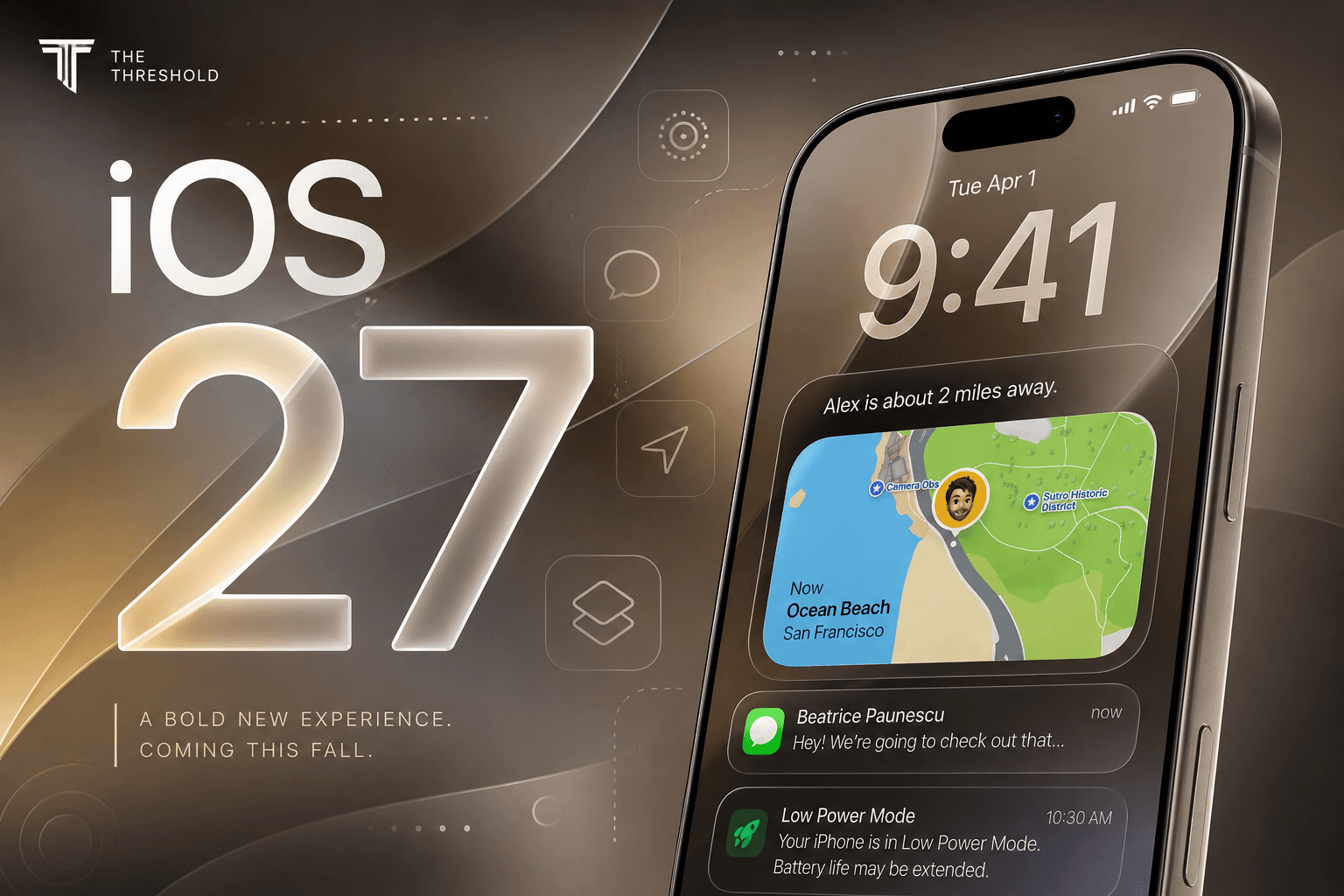
/ Apple's second developer beta moves rebuilt Siri into Messages, Camera, and Wallet, fixes long-standing RCS gaps, and codifies what the assistant will not do with a pasted URL.
by Hozefa Khety
· 7 min read
Apple spent a good chunk of WWDC 2026 talking about Siri as if it had been reborn. New models, a standalone app, Visual Intelligence woven through the stack — the keynote made it sound like the assistant had finally caught up to the moment. Two weeks later, with the second developer beta landing around June 22, the picture is more grounded. iOS 27 beta 2 is not a finished product. It is, however, the first build where Apple's AI ambitions show up in the places people actually live: above the keyboard, inside the Camera app, in a group chat with an Android friend who keeps sending tapbacks.
That matters because Siri's history is littered with demos that never quite survived contact with daily use. Beta 2 suggests Apple is trying to embed the rebuilt assistant into existing workflows rather than asking you to open a separate AI app for everything. Some of the changes are flashy. Others — RCS reaction rendering, Wallet spending charts — are the kind of quiet fixes that change how a phone feels without earning a slide at a keynote. Both kinds are in this release.
Write with Siri replaces the Writing Tools menu
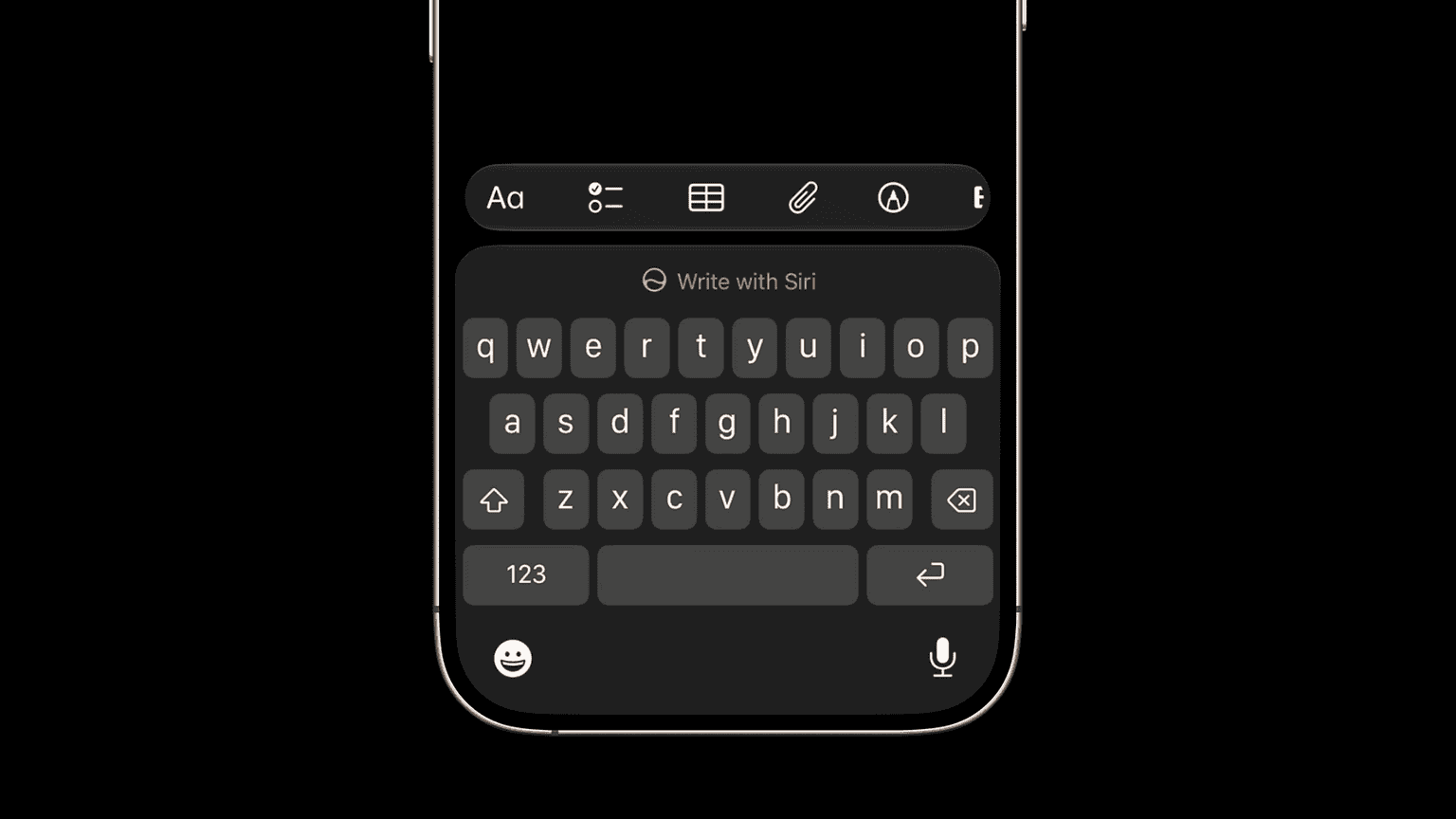
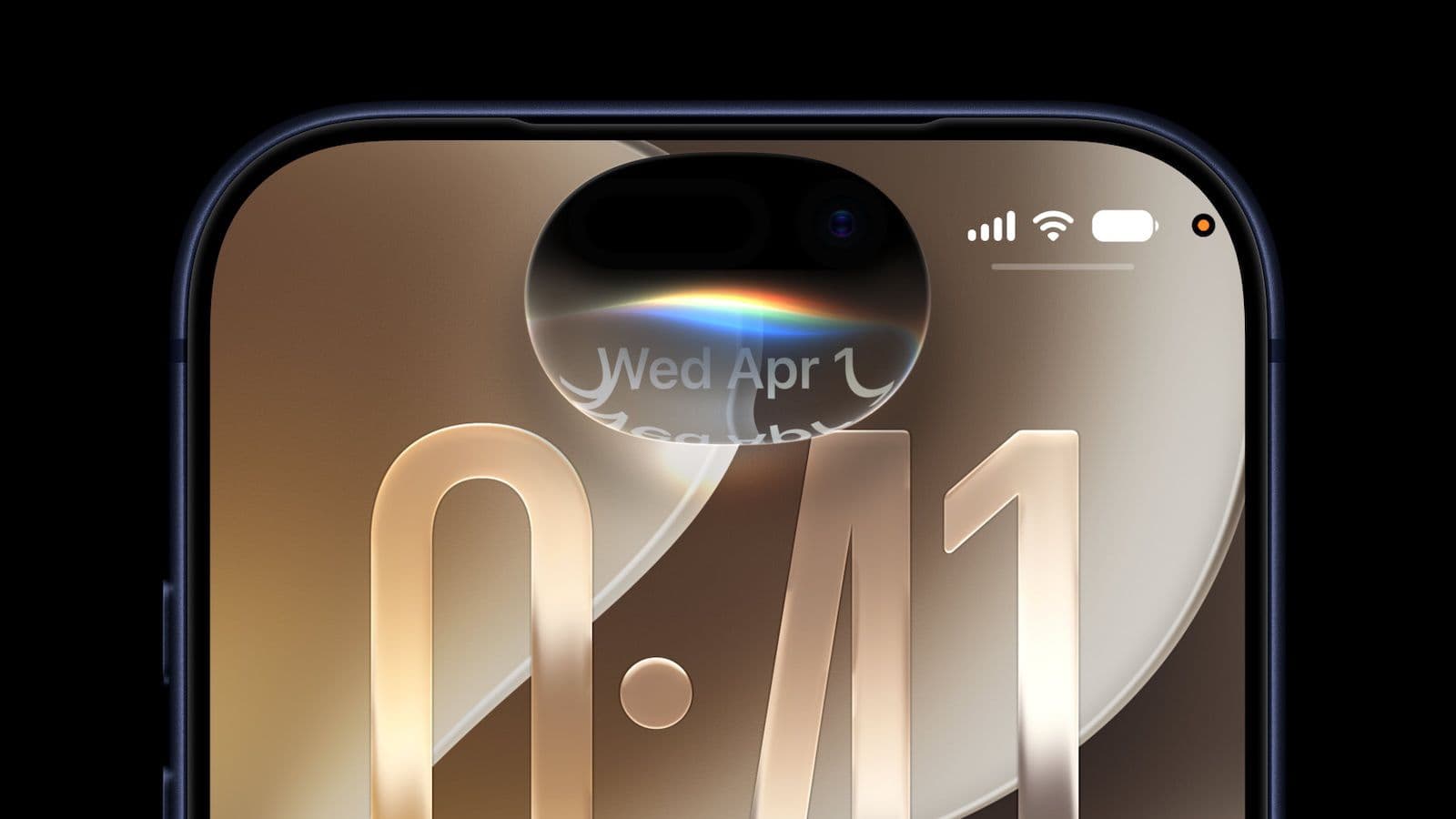
The most visible shift in beta 2 is Write with Siri, which supplants the old Writing Tools shortcut buried in edit menus. In Notes, Mail, and Messages, a persistent button now sits above the system keyboard. Tap it and a text field slides down — on iPhones with a Dynamic Island, from the island itself — where you describe what you want in plain language. Draft a reply. Tighten a paragraph. Proofread something you already typed. Rewrite it in a different tone.
The difference from Writing Tools is not just placement. Because Write with Siri runs through the rebuilt assistant, it can read what's on screen and pull context from material Siri already has permission to see: messages, mail, documents in scope. Apple is not marketing it as a generic text generator; it is positioned as an assistant that knows what you are working on. That only applies on Apple Intelligence hardware — iPhone 15 Pro and later, plus the recent non-Pro generations that ship with the feature enabled. Older phones get iOS 27, but not this layer of Siri.
A related addition is a Type to Siri button in the same apps, for users who would rather type a request than speak it. Together, the two shortcuts signal where Apple wants AI to live: not in a separate tab you forget exists, but one tap above the keys you already use.
Siri mode turns the Camera app into a visual search bar
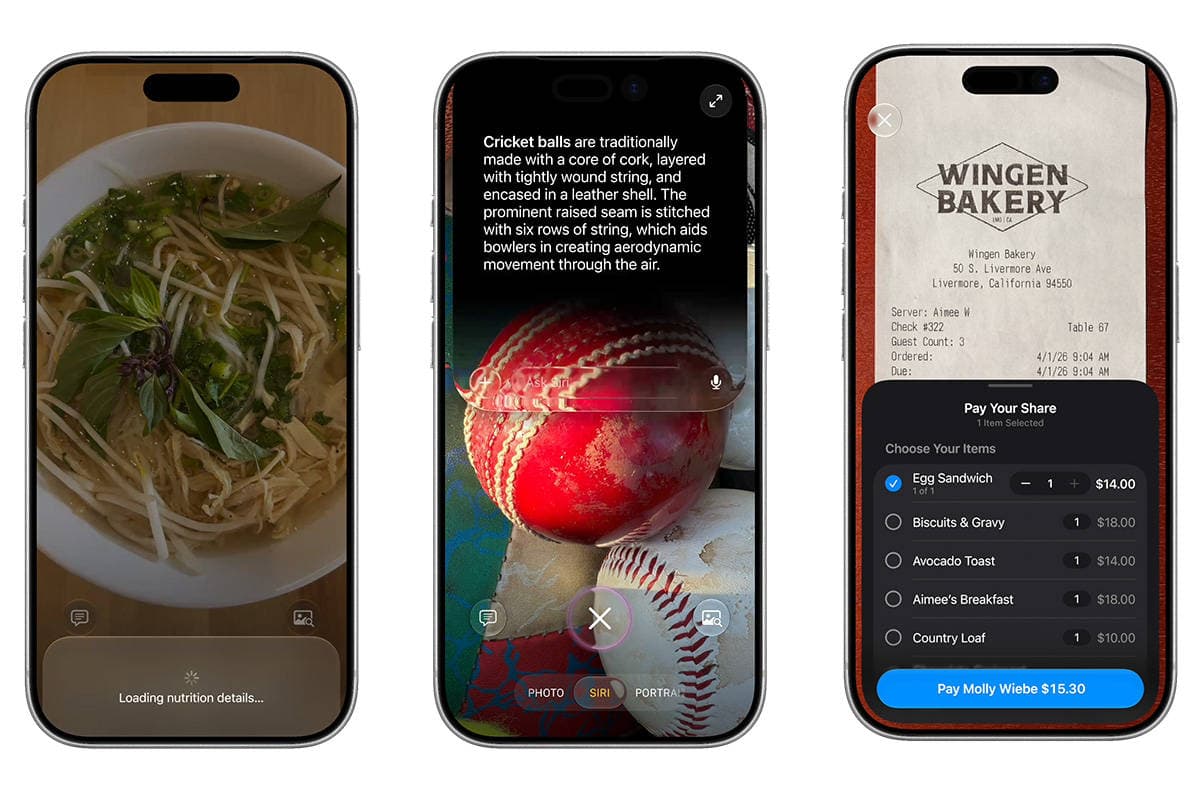
Visual Intelligence was one of the more concrete WWDC promises — point your phone at something and ask questions about it. In beta 2, Apple routes much of that through a new Siri mode inside the Camera app. Swipe along the mode strip at the bottom, past Photo and Video, and you land on Siri. Frame a subject, hit the shutter, and the assistant identifies what it sees: a plant, a landmark, an animal, a product on a shelf. You can ask follow-ups, search Google Images from the result, or dig deeper in a conversational thread.
Camera Control still works as a shortcut to Visual Intelligence if you press and hold, but Siri mode makes the feature discoverable in an interface millions of people already open without thinking. That is a deliberate UX bet: visual search only helps if people stumble into it. Whether it becomes a habit is another question — identification after capture is useful for learning what you photographed, less so for nailing exposure or composition in the moment.
Access requires enrollment in Apple's Siri waitlist and a device that runs Apple Intelligence. Conversations started here can surface later in the standalone Siri app, which beta 2 also tweaks — you can select and delete multiple threads at once instead of clearing them one by one.
RCS finally handles the small stuff in mixed chats
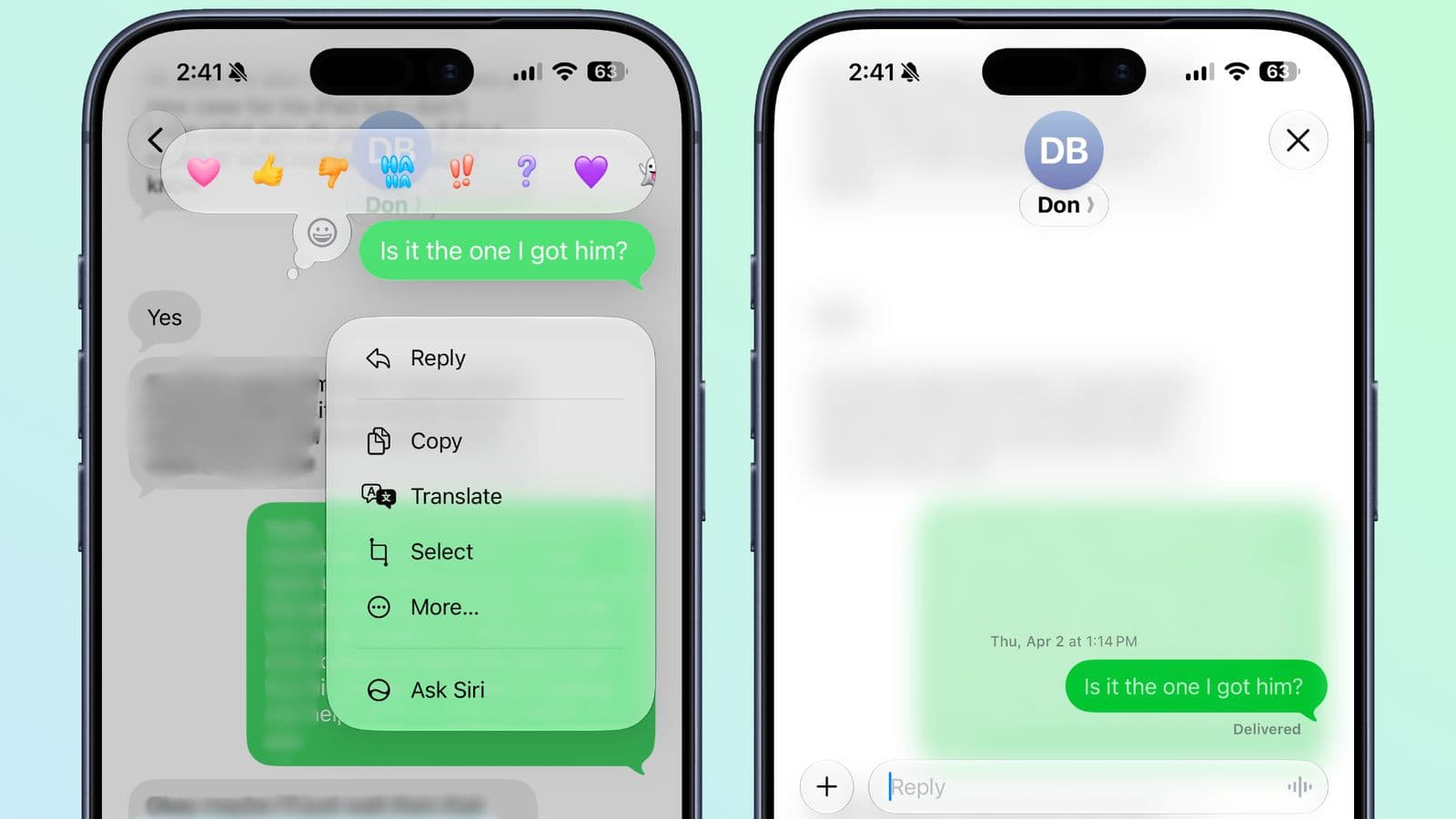
Not every beta 2 change is about AI. Messages picked up meaningful RCS polish: tapback reactions from Android users now render as the emoji someone actually sent, and inline replies display correctly across platforms. If you have ever watched an iMessage thread with Android participants devolve into a wall of grey bubbles and misplaced hearts, you know why this is not a footnote.
Apple adopted RCS last year, but adoption on the user experience side has been uneven. Beta 2 closes gaps that made cross-platform chats feel second-class. For households and friend groups split between ecosystems, these details often matter more than another camera mode. They are the difference between RCS feeling like a real standard and a compatibility checkbox.
Wallet's spending view rolls out to more regions
Apple Wallet's Spending Insights screen — a day-by-day, month-by-month, or year-by-year breakdown of card activity — arrived in the first developer beta. Beta 2 extends it to additional regions. The feature itself is straightforward: aggregate your transactions, chart them over time, give you a single place to see where money went without opening a bank app. It is the sort of quality-of-life addition Apple can ship without a partner announcement, and it fits the broader push to make Wallet feel less like a pass holder and more like a financial dashboard.
Apple draws a hard line on summarizing URLs
One beta 2 change is less about what Siri can do and more about what Apple will not let it do. According to reporting from 9to5Mac, the assistant's system prompt now explicitly instructs Siri not to summarize, read, or extract information from a URL a user pastes in. If you hand Siri a link and ask for a summary, it is supposed to say it cannot access webpages — and not offer workarounds.
Siri could not reliably do this before either; the update codifies the boundary in software. Safari still generates summaries for pages you are actively viewing. Siri will not fetch remote pages on your behalf. That is a product choice as much as a technical one. Google and several third-party assistants will summarize a link you never open; Apple is keeping that behavior out of Siri, at least for now. Whether that feels prudent or limiting depends on how much you trust an assistant to represent a page it has not rendered.
Speed, HomeKit, and the usual beta housekeeping
Early testers of beta 1 complained that Siri AI felt sluggish compared with assistants on rival phones. Beta 2 appears to address some of that — several reports note snappier responses, though Apple has not published benchmarks and the assistant remains a beta inside a beta. Financial queries are still limited; Siri is optimized for general knowledge, not pulling historical stock prices from external databases. Expect more tuning before September.
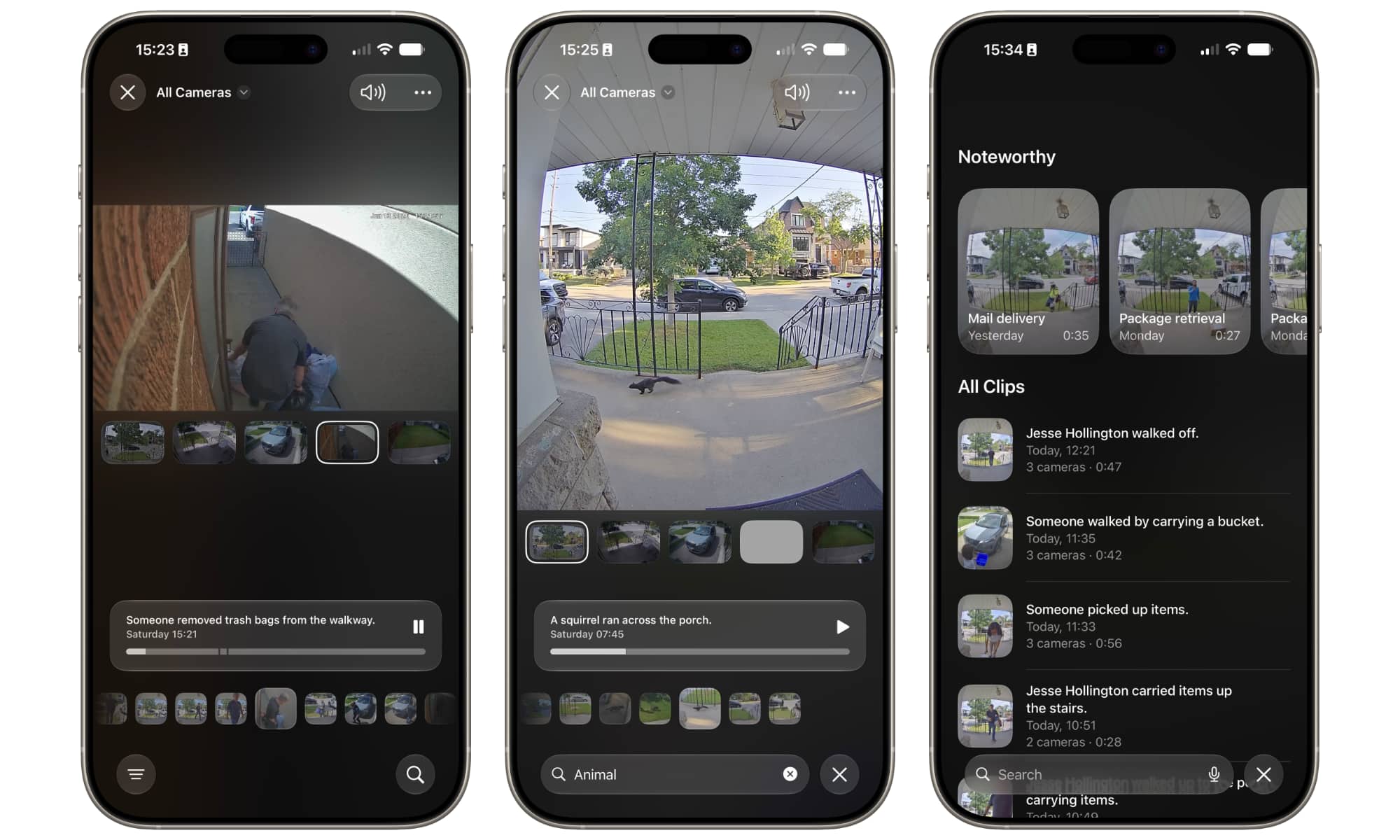
Smaller fixes round out the release. Long-pressing a HomeKit camera notification can preview the motion clip and toggle nearby lights. AirPods Max 2 firmware updates, broken in beta 1, work again. The Home app can remotely update an Apple TV 4K. The Camera app shows a yellow accent when a hidden mode like Night or exposure control is active, so you can tell at a glance which setting you triggered. None of these will sell iPhones on their own. They are the kind of repairs that keep developers willing to run bleeding-edge builds on a secondary device.
When you can install it — and when you should not
iOS 27 beta 2 is a developer release. Apple typically follows the second developer beta with a public beta in July; the stable version is expected in September, likely alongside the iPhone 18 lineup. If you are not enrolled in Apple's beta program, none of this affects your phone today.
If you are enrolled, treat this build accordingly. Betas exist to surface exactly the sort of regressions beta 1 had — broken accessory firmware, uneven AI performance, features that change shape between releases. The story of iOS 27 is still being written. Beta 2 just makes it easier to see the outline: Siri everywhere Apple can fit it, messaging standards catching up to reality, and a company that would rather limit what its assistant does than apologize for what it got wrong.
Frequently asked questions
When does iOS 27 release to everyone?
iOS 27 beta 2 is a developer release that landed around June 22, 2026. Apple typically follows with a public beta in July and a stable release in September, likely alongside the iPhone 18 lineup.
What is Write with Siri in iOS 27?
Write with Siri replaces the old Writing Tools menu with a persistent button above the keyboard in Notes, Mail, and Messages. It can draft replies, tighten paragraphs, proofread, and rewrite text using on-screen context.
Does iOS 27 improve RCS messaging?
Yes. iOS 27 beta 2 renders Android tapback reactions as the correct emoji and fixes inline replies across platforms, closing gaps that made mixed iMessage/RCS group chats feel second-class.
Which iPhones support the new Siri features?
Write with Siri and Camera Siri mode require Apple Intelligence hardware — iPhone 15 Pro and later, plus recent non-Pro generations. Older phones get iOS 27 but not the new Siri layer.